Edit Text in Place
Captions, labels and headings are strings in your Java code. In Edit mode, you change them where you see them in the running application, and Copilot changes the code.
-
Switch to Edit mode in the toolbar.
-
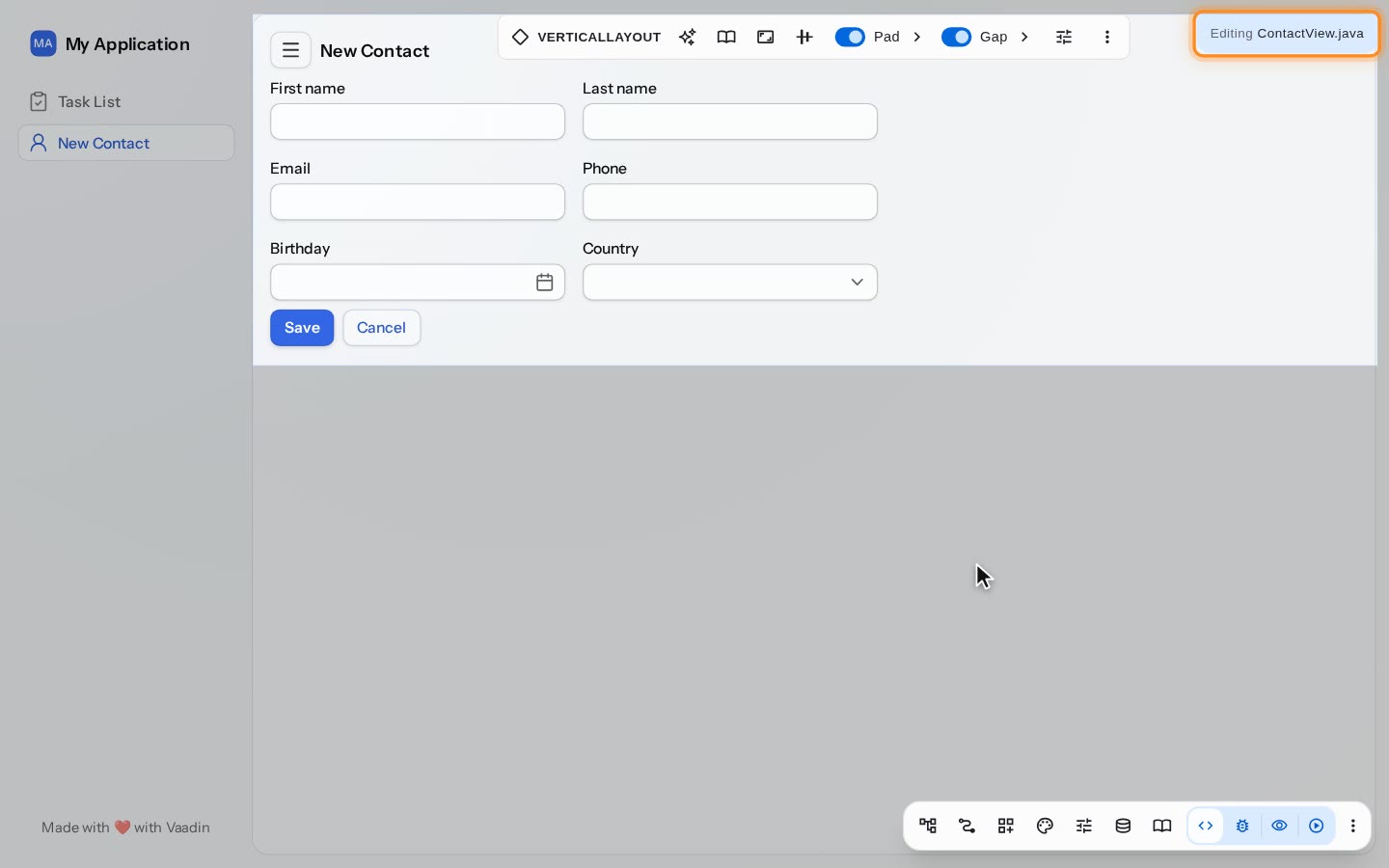
Copilot’s Editing tab names the file you are editing, here ContactView.java. You can change the components that this file creates. The rest of the page, such as the main layout, is dimmed.
-
Double-click the text, type the new one and press Enter. Copilot changes the string in your Java code, and the view updates.
What Copilot Changes
Copilot writes the new text to the Java file that creates the component, and the view updates. When the component’s variable is named after its text, Copilot renames the variable to match: changing the caption Save to Save contact renames save to saveContact.
You can edit the components that the file shown in Editing creates. Components from other files, such as the main layout, are dimmed.