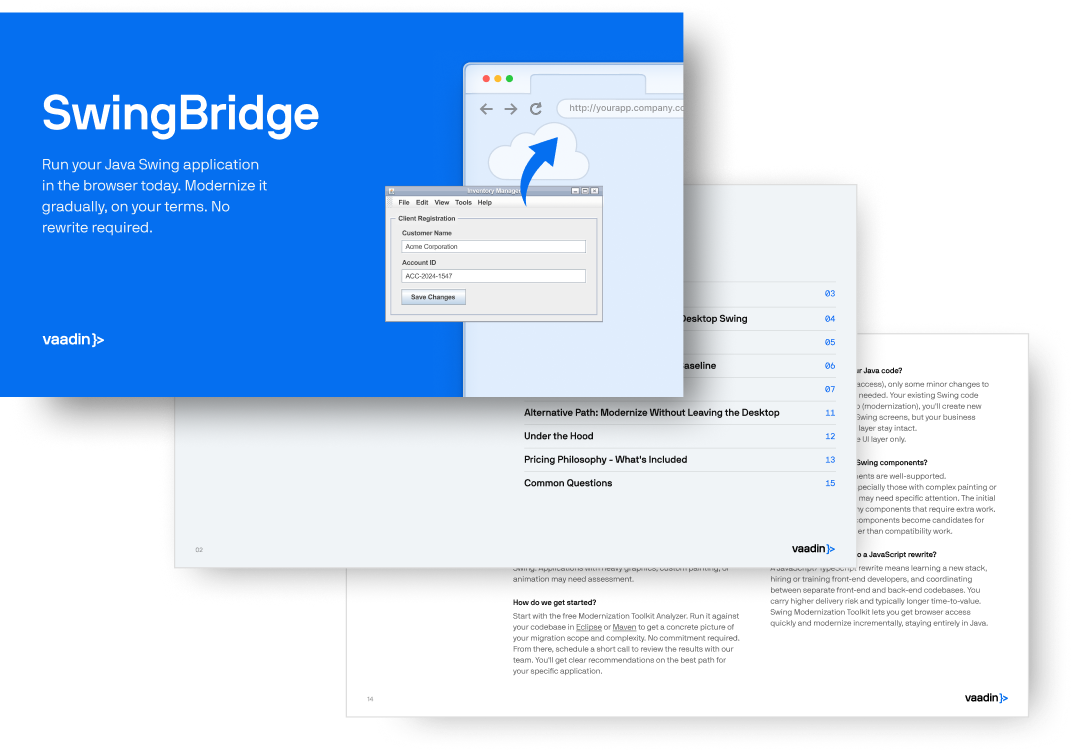
Run your Swing app in the browser, then modernize view by view or accelerate the move to a modern Java web app with automation. No JavaScript required.

Run your Swing app in the browser today
Why move away from Swing?
Desktop-first architecture slows feature work. Packaging, installers, and per-machine updates add overhead to every release.
Users expect web access and mobile support. They don't want to install desktop clients or wait for IT to update their machines.
Finding developers with Swing experience is hard. Your best people want to work with modern web technologies.
Desktop installs, per-machine updates, Java runtime dependencies, and limited scalability all add cost and complexity you shouldn't have to manage.
Desktop clients are harder to govern and patch. Centralized browser access makes updates and policy enforcement easier, with less endpoint risk.
The longer you stay on Swing, the more expensive any future change becomes—whether that's hiring, migrating, or maintaining what you have.
Download the Complete Swing Modernization Guide
Choose your Swing-to-web path
Not every Swing application needs the same modernization strategy. With Vaadin SwingBridge, you can browser-enable your app first, extend it with new web views, or move it to a Java web UI, incrementally or in one go.
-
Your app is immediately accessible in the browser
-
No desktop installation or distribution overhead
-
Minimal risk because the application stays unchanged
Key consideration
Best fit
-
New views added without rewriting the existing app
-
New features built in Vaadin with a modern Java web architecture
-
Existing Swing views running alongside the new Vaadin views
Key consideration
Best fit
-
A path to replace Swing views over time
-
Automation tooling to accelerate migration work
-
Freedom to preserve, improve, or redesign the UX
Key consideration
Best fit
"Vaadin Flow stands out as an exceptional framework, particularly due to its unique similarity to Swing—a feature not commonly found in other frameworks."
Teodor Veingerl
Solution Architect

IZUM moved 1,000+ Swing views to web with Vaadin
- 1,000+ Swing views migrated to modern web UI
- 90% Code reuse - business logic preserved
- Zero Downtime during the entire migration
- 0 frontend hires needed - Java team only
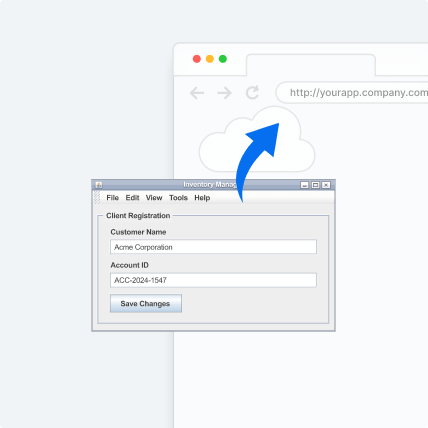
How Vaadin brings Swing apps to the web
Make your existing Swing application accessible by URL. No desktop install, no per-machine JVM, and no remote desktop overhead for end users.
Build new web views in Java with Vaadin while existing Swing views keep running in the same application, JVM, and deployment.
Vaadin’s Modernization Engine helps convert common Swing UI patterns, such as layouts, input fields, tables, dialogs, and menus, into Vaadin equivalents, reducing repetitive migration work.
Clipboard, drag-and-drop, file handling, printing, and similar Swing/AWT behaviors can be mapped to browser-compatible equivalents so existing workflows continue to work on the web.
Support many concurrent browser sessions from a shared server-side runtime, instead of running a separate JVM for each user session.
Try it yourself
Want to see it in action? The getting started guide takes you from zero to a Swing app running in the browser, with a sample app included to get you started right away.

Frequently asked questions
Can I run a Java Swing application in a web browser?
Yes. Vaadin's SwingBridge lets you deploy your existing Swing application behind a URL so users can access it from any browser — no desktop install required.
What is the difference between Vaadin's SwingBridge and Webswing?
Webswing runs the old Swing app in the cloud, reserving a JVM for each user. It renders the full application in the browser remotely.
Vaadin's SwingBridge renders the full application inside a Vaadin web application from day one. This makes progressive migration to the web significantly easier. Vaadin is also a true native web app where you can run hundreds of concurrent users on a single JVM, making it truly scalable.
Do I need to learn JavaScript to migrate from Swing to web?
No. Vaadin lets your team build modern web UIs entirely in Java. Your existing developers can contribute immediately without learning JavaScript, React, or any frontend framework.
How long does a Swing to web migration take?
It depends on the size of your application, but the key advantage of Vaadin's approach is that you don't have to wait. You can run your Swing app in the browser on day one and modernize views incrementally over weeks or months.
Is Java Swing deprecated?
Java Swing is not officially deprecated, but Oracle is no longer actively developing it. It receives only bug fixes and security patches. The developer ecosystem has moved to web-based frameworks, making it increasingly difficult to hire and retain Swing developers.
What is the best Java Swing alternative for web applications?
For Java teams, Vaadin Flow is the most natural migration path. It lets you write web UIs in 100% Java, provides 50+ enterprise-grade UI components, and offers a dedicated Swing modernization tooling: SwingBridge.
Let’s map your path from
Swing to the web
Tell us about your Swing app. We'll review your setup, understand your goals,
and recommend the best path forward.
1. Fill out the form
2. Join a 45-minute call
We’ll discuss your app, show a relevant SwingBridge demo, and walk through modernization options based on your goals.
3. Get recommendation on the next steps
You’ll leave with a better understanding of whether to browser-enable, extend, or modernize your Swing app, and what to explore next.
No commitment. You decide whether to move forward.
Developers Worldwide