
Vaadin 25.0 starts a new major line with a clear theme: reduce Vaadin-specific “special cases” and make everyday development (styling, builds, dependencies) look and feel more like a standard modern Java + web stack.
It’s a major release, so expect breaking changes. Below are the areas you’ll want to check first when upgrading: theming and styling, production builds, key component changes, and updated framework requirements.
Simplified theming and styling
Theming in Vaadin 25.0 is less “framework config” and more plain CSS—with a simpler stylesheet model, improved base styles, and the new Aura theme.
Themes are now just stylesheets
Vaadin 25.0 simplifies theming by treating it as normal CSS, with fewer framework-specific conventions. Vaadin applications are primarily styled with CSS stylesheets (and you can still use inline styles and utility classes). In Vaadin 25.0, this is the recommended direction, while the Vaadin 24 theme setup remains supported for existing apps. See the styling guide for details
Theme can be dynamically changed
Because themes are now just stylesheets, Vaadin 25.0 lets you unload one stylesheet and load another at runtime. This makes it straightforward to support light/dark mode, per-user preferences, or per-tenant branding.
New base component styles
Vaadin components now ship with stronger “unthemed” base styles: not branded, but usable and easier to build on. The goal is that a custom design system doesn’t have to start from a bare skeleton.
Under the hood, Vaadin moves more boilerplate styling into component base styles, introduces new --vaadin-* base style properties to theme against, and refactors Lumo component styling to sit on top of that foundation.
Aura: a new modern option
Vaadin 25 introduces Aura, a new theme built on the new base styles. It’s intended as a modern alternative to Lumo when you want a fresher baseline without starting from scratch.
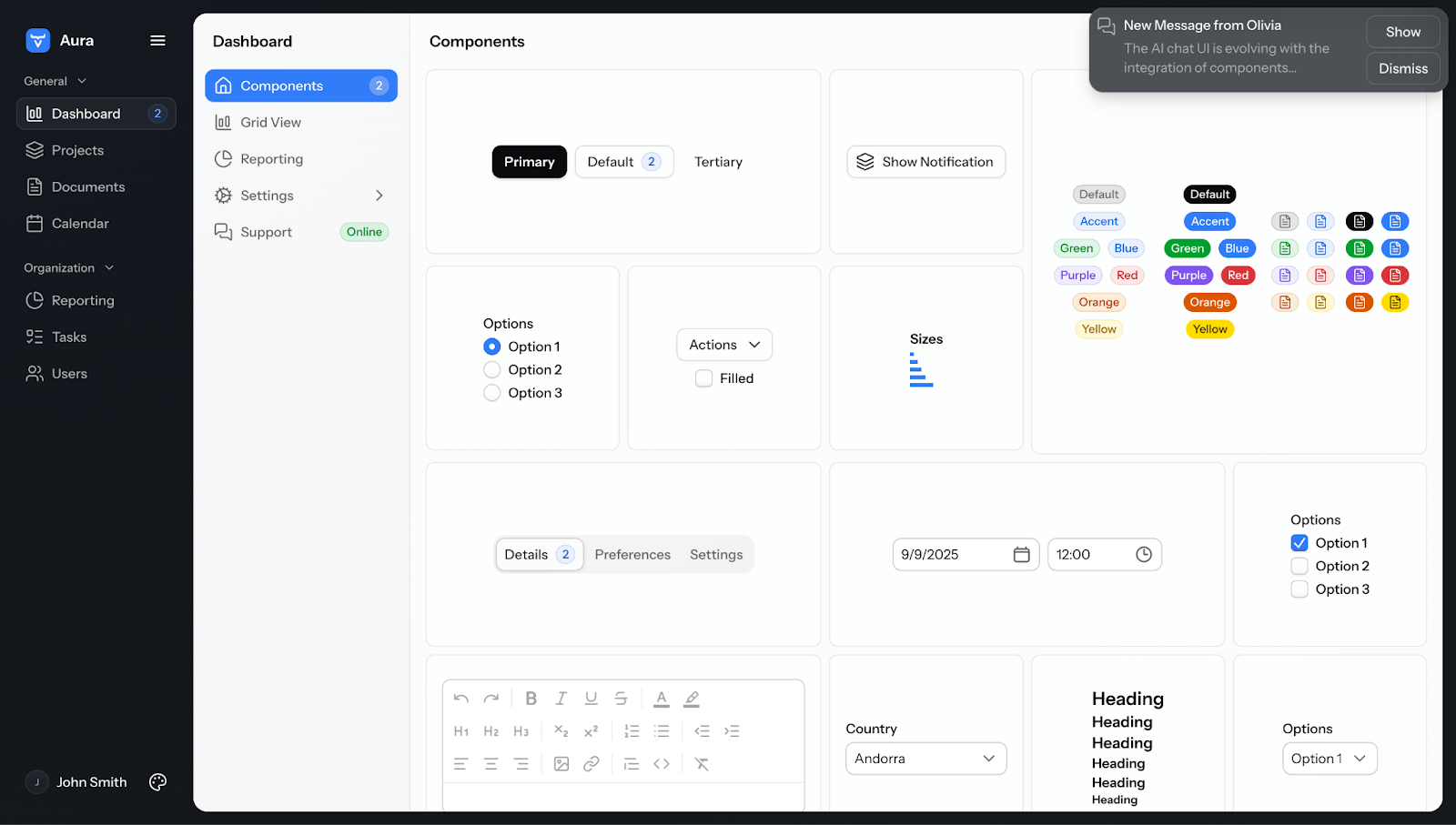
One important behavioral change: Vaadin 25 doesn’t silently pick a “default theme” for you. New apps are expected to explicitly choose (Aura, Lumo, or neither).
Tailwind CSS integration (experimental)
Vaadin 25 continues the “use normal web tools” direction with an experimental Tailwind integration. The intent is to make Tailwind CSS easy and performant to use by simply enabling it and using the utility classnames in it.
Material theme is removed
If your app depends on Material’s look and tokens, you’ll need to update your styling when moving to 25.0.
Design system and components
Vaadin 25.0 includes a handful of component-level changes including performance and accessibility improvements, new features, and a leaner frontend dependency stack.
Overlays: rendering rework (native popover-based)
Several overlay-based components now build on a Popover-based approach to make overlay rendering and layering more consistent across components. The practical win is fewer edge cases around stacking context, positioning, and overlay behavior when you combine complex UI patterns (dialogs, dropdowns, tooltips) in the same view.
TreeGrid: flattened hierarchy support
TreeGrid gets a meaningful architectural upgrade: a flattened hierarchy mode where the server sends a flat list of visible items and takes over hierarchy/caching responsibilities. This targets long-standing pain points like performance, scroll glitches, unpredictable refresh behavior, request “waterfalls” with pre-expanded trees, and allowed for a reliable scrollToItem method.
If you’ve ever battled with deep hierarchies + lazy loading + “why did the scroll jump?”, this is the kind of fix you feel immediately.
-min.png?width=755&height=378&name=image%20(1)-min.png)
Map: clusters and zoom-to-fit
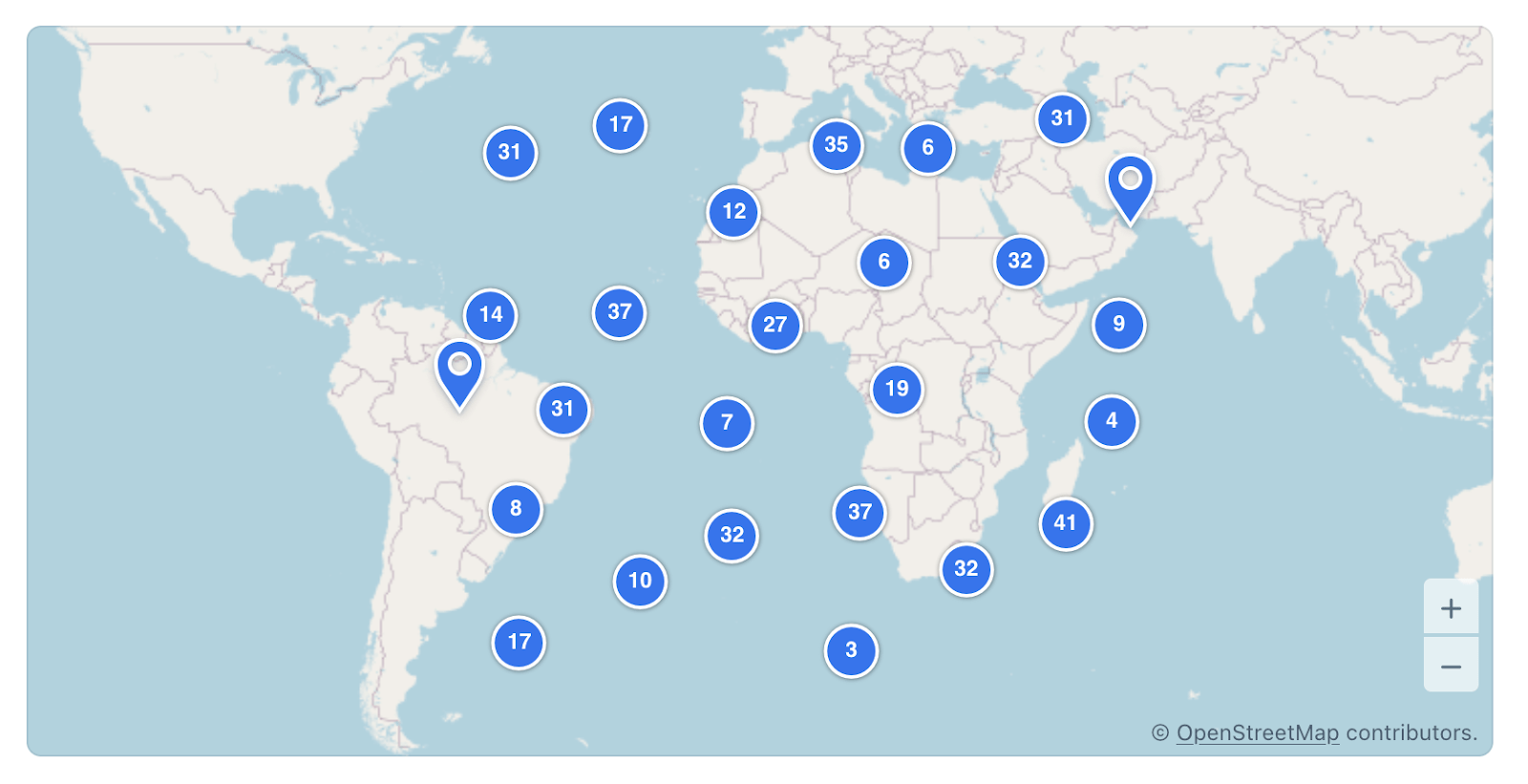
The Map component gets a couple of practical upgrades for real-world datasets: marker clustering to keep dense maps readable, and zoom-to-fit to automatically frame a set of markers or features in view.
Tooltips: Markdown support
Tooltips can now render rich text content through Markdown, such as font styles, lists, links, etc), as well as HTML. See the docs for supported syntax and examples here.
Web components: Polymer dependency removed
Vaadin components are no longer based on the old Polymer library, but the newer and leaner Lit library. This reduces frontend dependencies and shrinks the frontend bundle size somewhat. If you use third-party components that still need Polymer, they’ll need to bring it themselves.
Vaadin Charts bumped in HighCharts 12
This brings many bugfixes and paves the way for supporting new features available in version 12.
Copilot updates
Vaadin 25.0 makes Copilot easier to adopt in day-to-day work, with workflow cleanups and broader IDE support.
Vaadin Designer is still supported in 25.0, but it’s now deprecated. Going forward, Vaadin Copilot is where the design-to-code workflow evolves. If you have Designer-based projects, plan new work around Copilot and treat Designer as tooling you’ll eventually phase out.
Other Copilot-related updates in 25.0:
- New Figma Importer API: customize how designs are turned into code, so the output uses your own components and design tokens—not generic defaults.
- Eclipse plugin for Copilot and Hotswap: built on the same core building blocks as the IntelliJ and VS Code plugins, to keep the edit–run loop fast.
- Better control over component alignment: makes common alignment and spacing tweaks quick and predictable.
- More complete drag-and-drop support: you can drop components into other components and choose valid targets (for example, prefix/suffix/icon slots).
- Copilot now supports custom components and composites in React-based views on the same level as Java views, so common editing workflows behave consistently.
- Convert LitTemplate to Java: a new conversion tool that helps migrate LitTemplate-based views to Java, reducing the amount of manual conversion work when moving forward with Copilot.
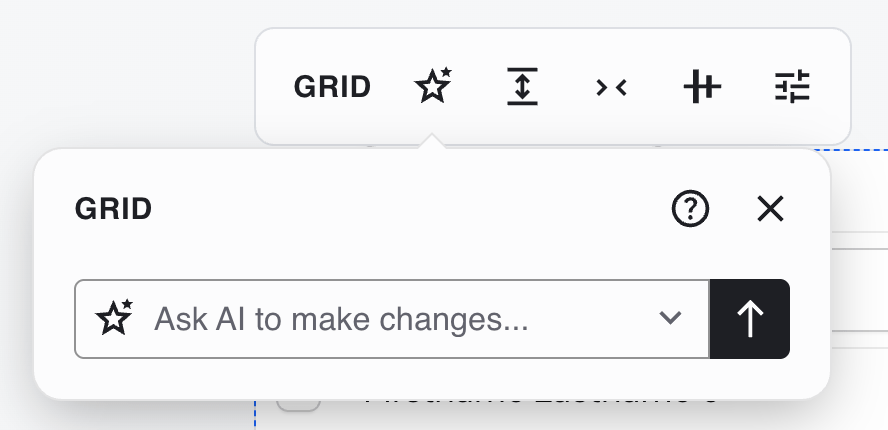
- Use the in-context AI prompt to ask Copilot to make changes to what you’ve selected; the separate Command Window has been removed.
Simpler production builds
Vaadin 25.0 updates the production build flow so it no longer depends on a dedicated production Maven profile. It also unifies how Gradle and Maven builds work: both will now by default build a production artifact and a development build is only used when running the application inside the project e.g. through an IDE.
These changes make CI pipelines and buildpacks behave more like a standard Java build.
Leaner by Default
Vaadin 25.0 is leaner by default. We have removed quite a few external dependencies and instead leveraged API available in the newer Java versions. In our tests, the production bundle had ~30% fewer transitive dependencies, and dev-mode server startup was 50%+ faster. More numbers and test details are in Matti's "Faster and Slimmer Vaadin 25" blog post.
High level Java instead of JSON
When building your own component, you earlier needed to use Elemental JSON to commuincate back and forth with the browser. Vaadin 25.0 removes the Elemental JSON library and replaces it with support for beans, lists, maps and other collections in the browser communication methods.
Offline license changes
The format for offline licenses has been updated in Vaadin 25.0. If you are using an offline license, you need to download another one that will be used for Vaadin 25+.
Signals (experimental)
Support for reactive UI state through signals has evolved significantly in Vaadin 25.0 with added support on Element level for binding to signals. The feature is still experimental as we work on Component level support, targeting Vaadin 25.1.
Updated dependency and toolchain requirements
Vaadin 25.0 aligns the framework with current Java and frontend ecosystems. For existing applications, this mostly shows up as version bumps in your toolchain and runtime dependencies.
Key changes in 25.0:
- Java 21+
- If you’re using Spring: Spring Framework 7 / Spring Boot 4 (Spring 6 / Boot 3 are no longer supported)
- Jakarta EE 11
- Node.js 24+
- If you build with Gradle: Gradle 8.14+ for the Vaadin Gradle plugin
- React 19
- Jackson 3 (upgraded from Jackson 2)
- Quarkus latest LTS (3.27) or newer
Hilla is now an opt-in dependency.
For the complete upgrade steps and breaking changes, see the Vaadin 25 upgrade instructions in the documentation.
📺 Watch the Vaadin 25.0 live walkthrough
If you prefer video, our Vaadin 25.0 live walkthrough from Thursday, December 18 is now available. It covers the key changes in 25.0, practical upgrade tips for existing apps, and a short peek at what to expect next in the 25.x line.