
Optimizing CSS is rarely something you need to worry about in a typical application since browsers already handle it well. But when you are developing components like Vaadin Grid, that should be capable of rendering thousands of DOM elements at once, CSS optimizations can make a real difference. In this post, we'll share several such optimizations that we made for Grid and Tree Grid in Vaadin 25, especially to speed up the new Aura theme.
Introduction
Vaadin 25.0, a new major version released in December 2025, introduced a new default appearance for components: base styles. These are built-in styles that ensure components look good out of the box, even if neither of the two built-in themes, Aura and Lumo, is applied. They also serve as a foundation for custom themes and, most notably, for the mentioned Aura theme, shipped in the same release.
Both the base styles and Aura theme were built from scratch during nearly a year of intensive development. As often happens with new implementations, we had other things to worry about first… until we began to notice that Grid was much slower with Aura than it was with the existing Lumo theme:
180-column grid, initial render |
|
|
|
|
| Rendering with Aura: ~7.2 s |
Rendering with Lumo: ~1 s |
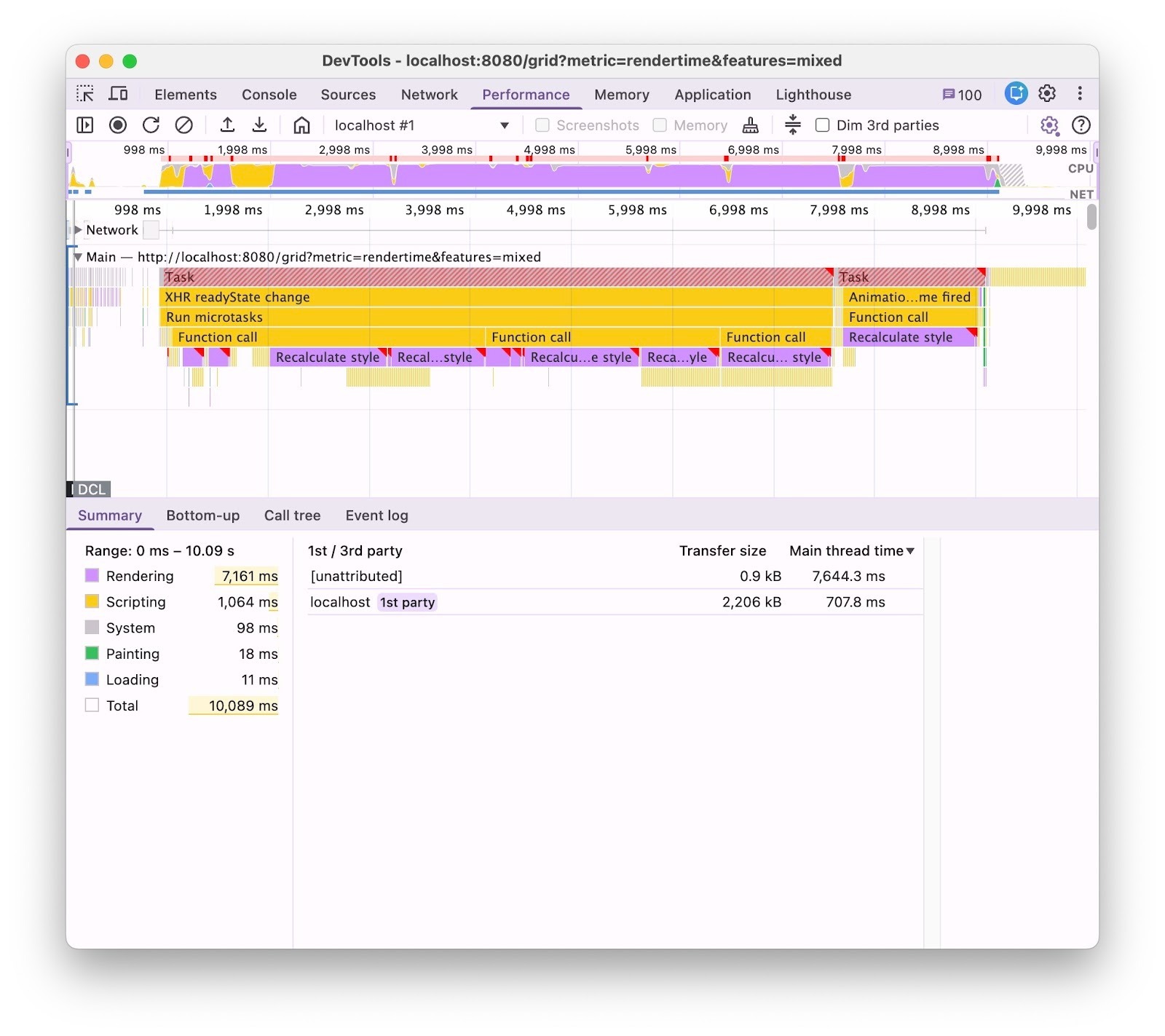
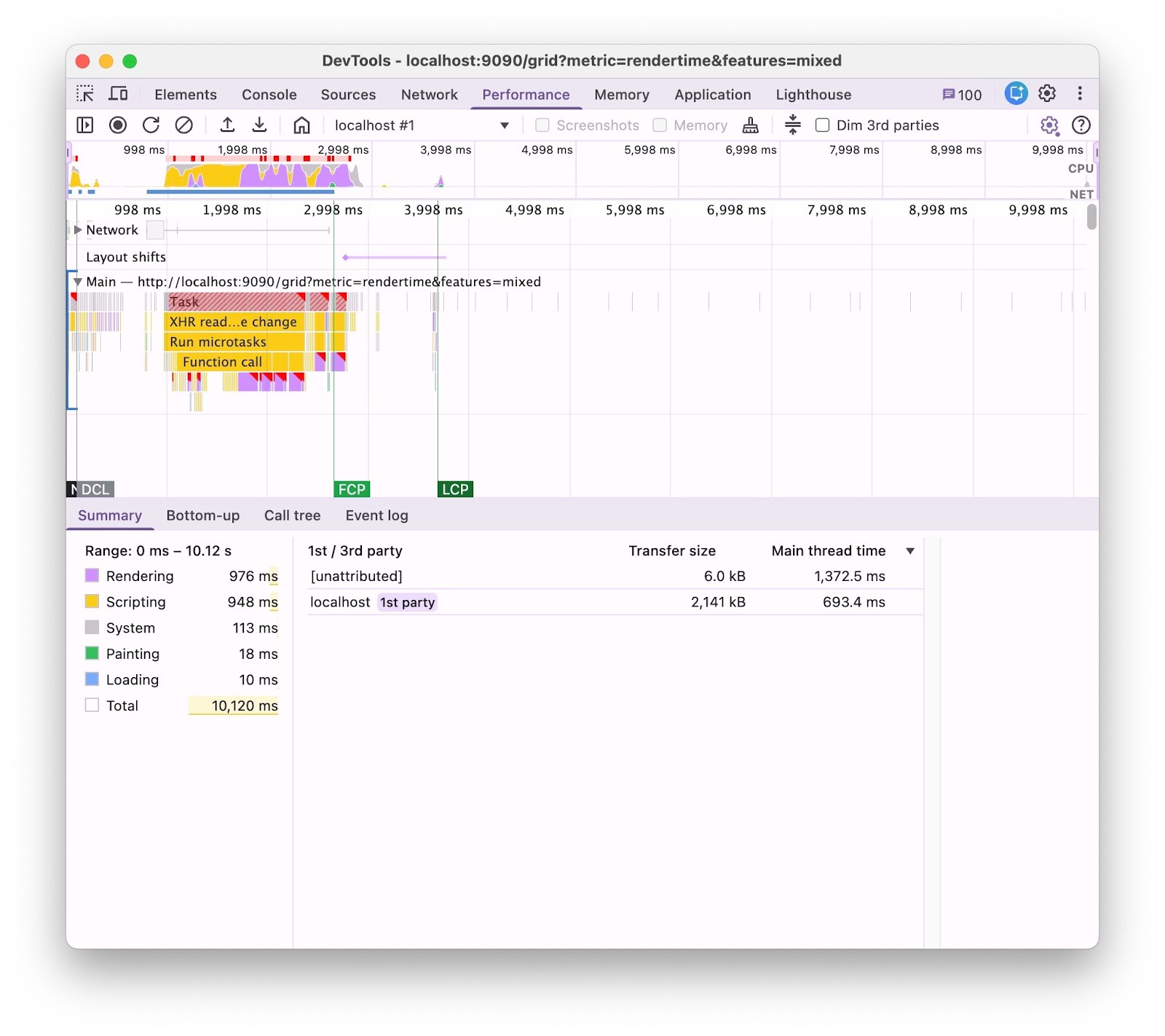
This clearly deserved a closer look. We dove in, and after quite a bit of profiling of both JavaScript and CSS, we came back up with a set of CSS optimizations that ended up notably improving rendering speed not just for the base styles and Aura, but for the existing Lumo theme as well.
Using CSS Borders instead of Box Shadows
One of the first issues that came up was that base styles and thus Aura used CSS box shadows to render borders between grid rows and cells.
Box shadows are notorious for being more expensive to draw than regular CSS borders, but in our case, painting wasn't actually the main problem. The real issue was that the shadows were computed dynamically based on CSS custom properties, which added overhead every time the browser recalculated styles for elements. We are still not entirely sure why, but our best guess is that it was preventing the browser from taking certain shortcuts during style recalculation. Either way, in large grids with hundreds of cells, the extra cost added up quickly.
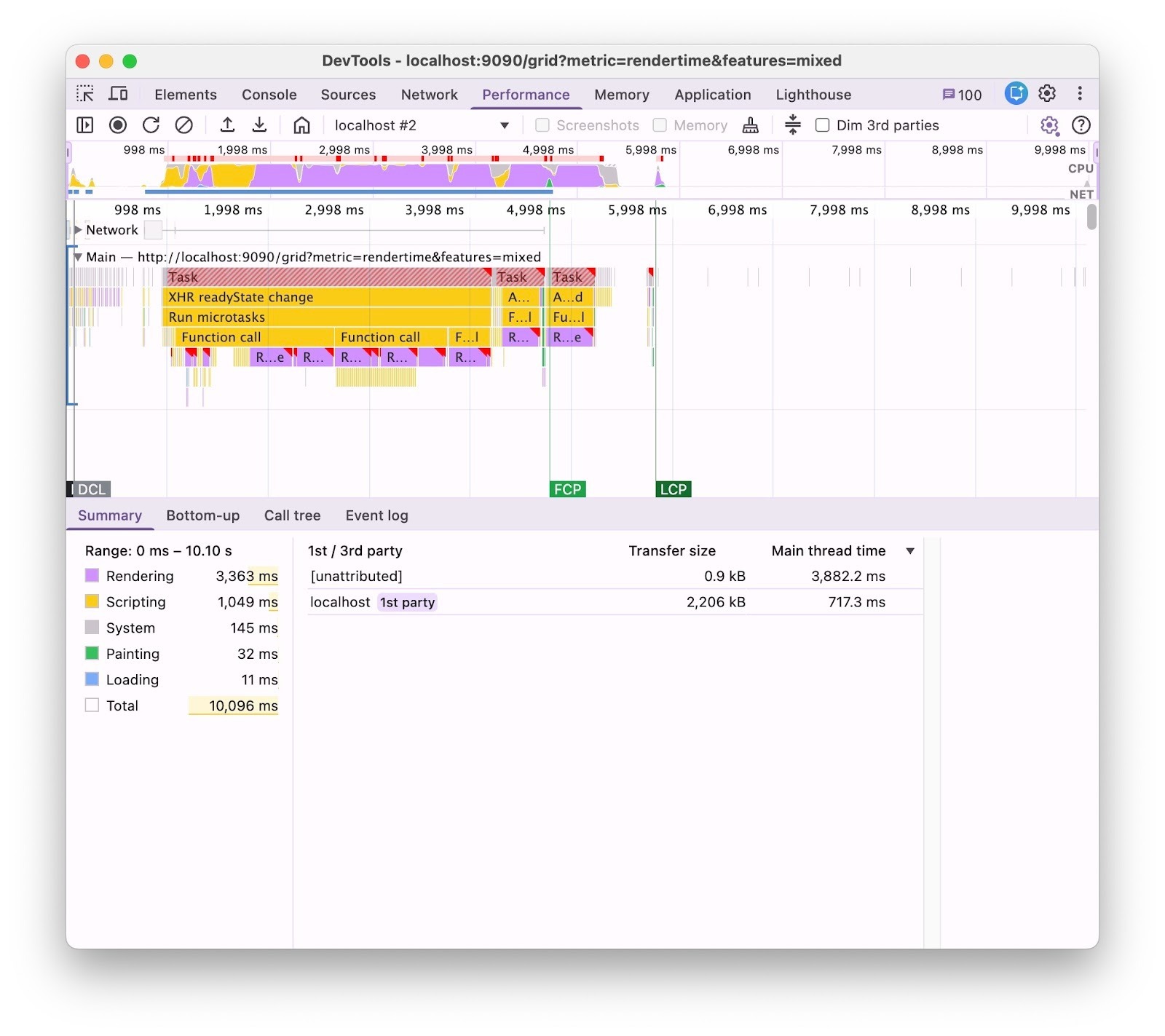
To fix this, we decided to get rid of box shadows entirely and switch to regular CSS borders. It took quite a bit of refactoring and some design compromises, but the result was worth it: time spent in the browser's “Rendering” category dropped by almost 50%:
180-column grid, initial render with Aura |
|
|
|
|
| Rendering: ~7.2 s (before) |
Rendering: ~3.4 s (after) |
Replacing CSS Attribute Selectors with Classes Internally
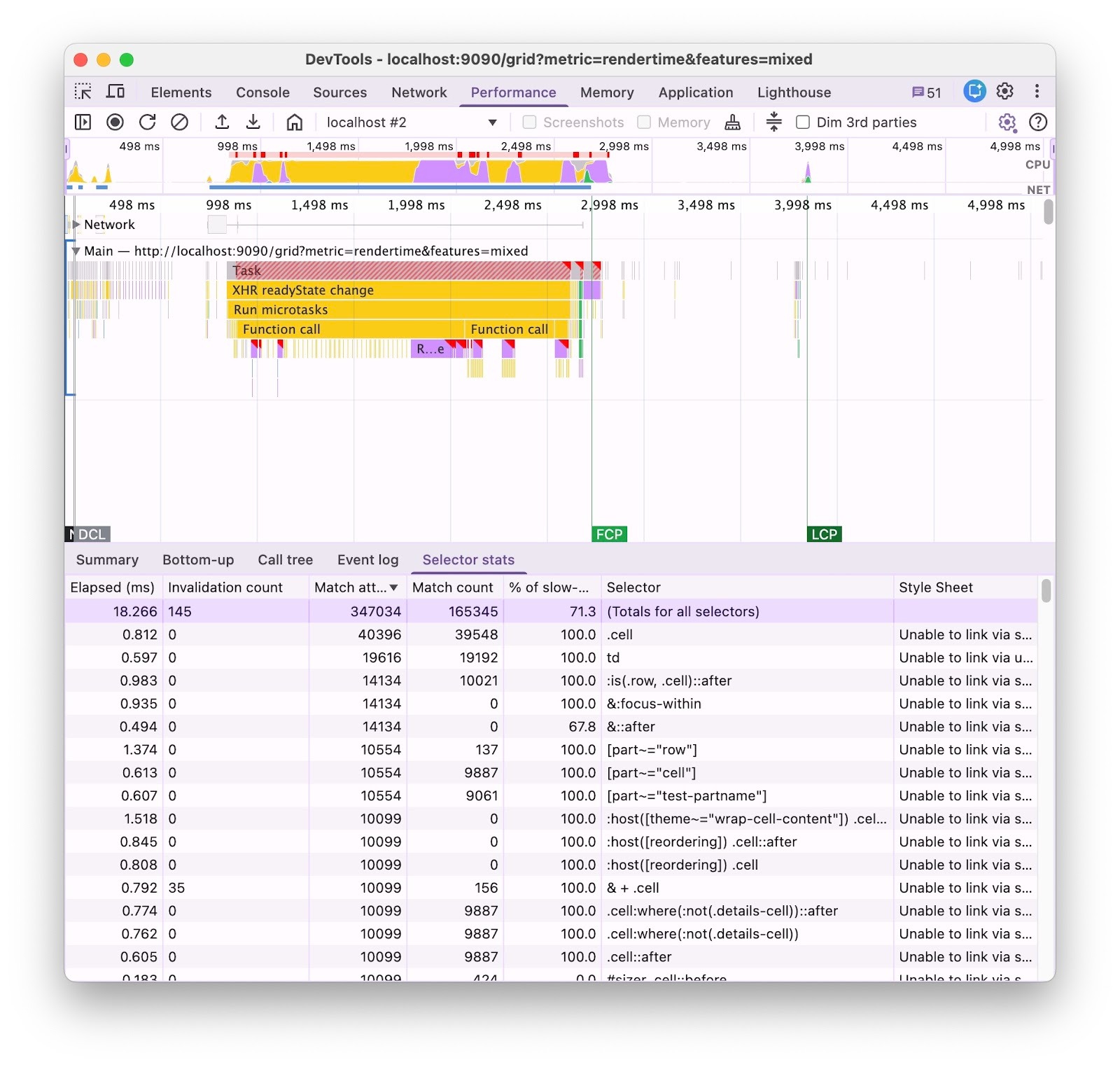
The next optimization came from a detailed analysis of CSS selector statistics in Chrome Dev Tools.
It turned out that CSS part attribute selectors like [part~=”cell”], which we used all over the Grid styles, were really hurting performance. These selectors caused the browser to invalidate row and cell DOM elements way more often than necessary. Whenever a row or cell element changed its part attribute, the browser would re-match it against all such selectors regardless of what actually changed. This is a lot of unnecessary work when there are thousands of cells in the DOM.
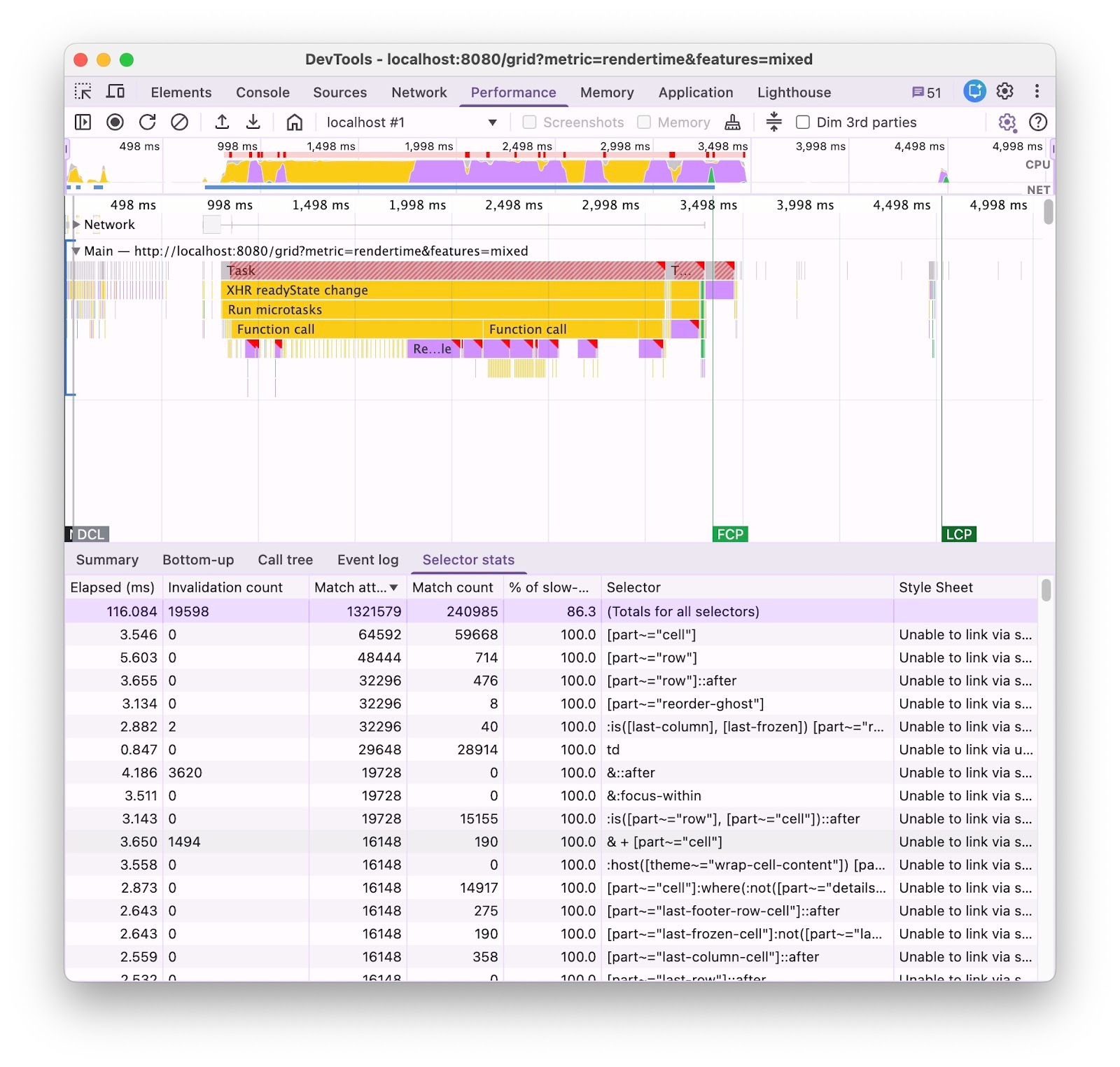
By replacing part attributes with CSS classes (e.g. [part~=”selected-row”] => .selected-row) in those selectors, we cut the number of selector match attempts by over 3.5x:
50-column grid, initial render with base styles |
|
|
|
|
| ~1.3M match attempts (before) |
~350K match attempts (after) |
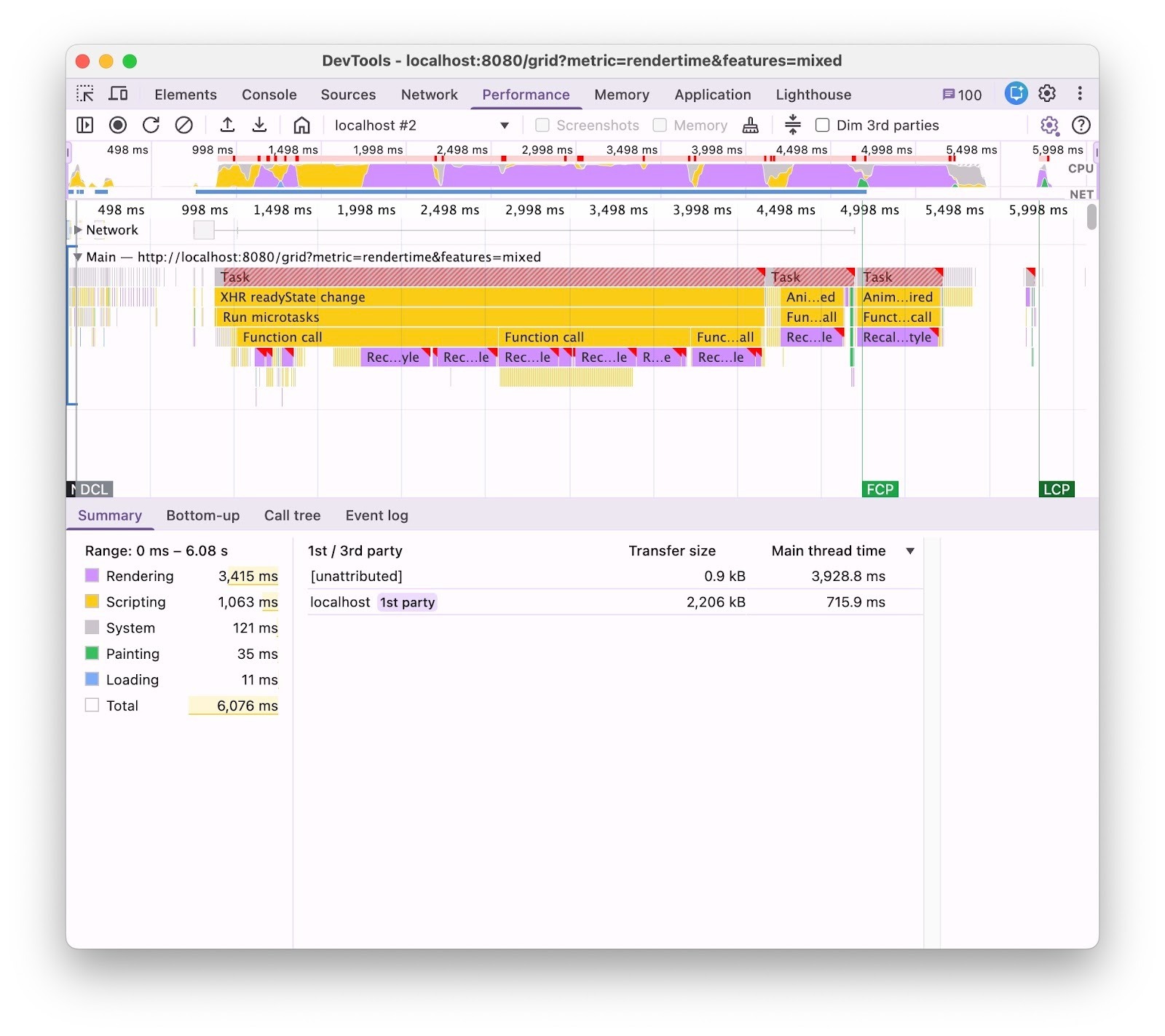
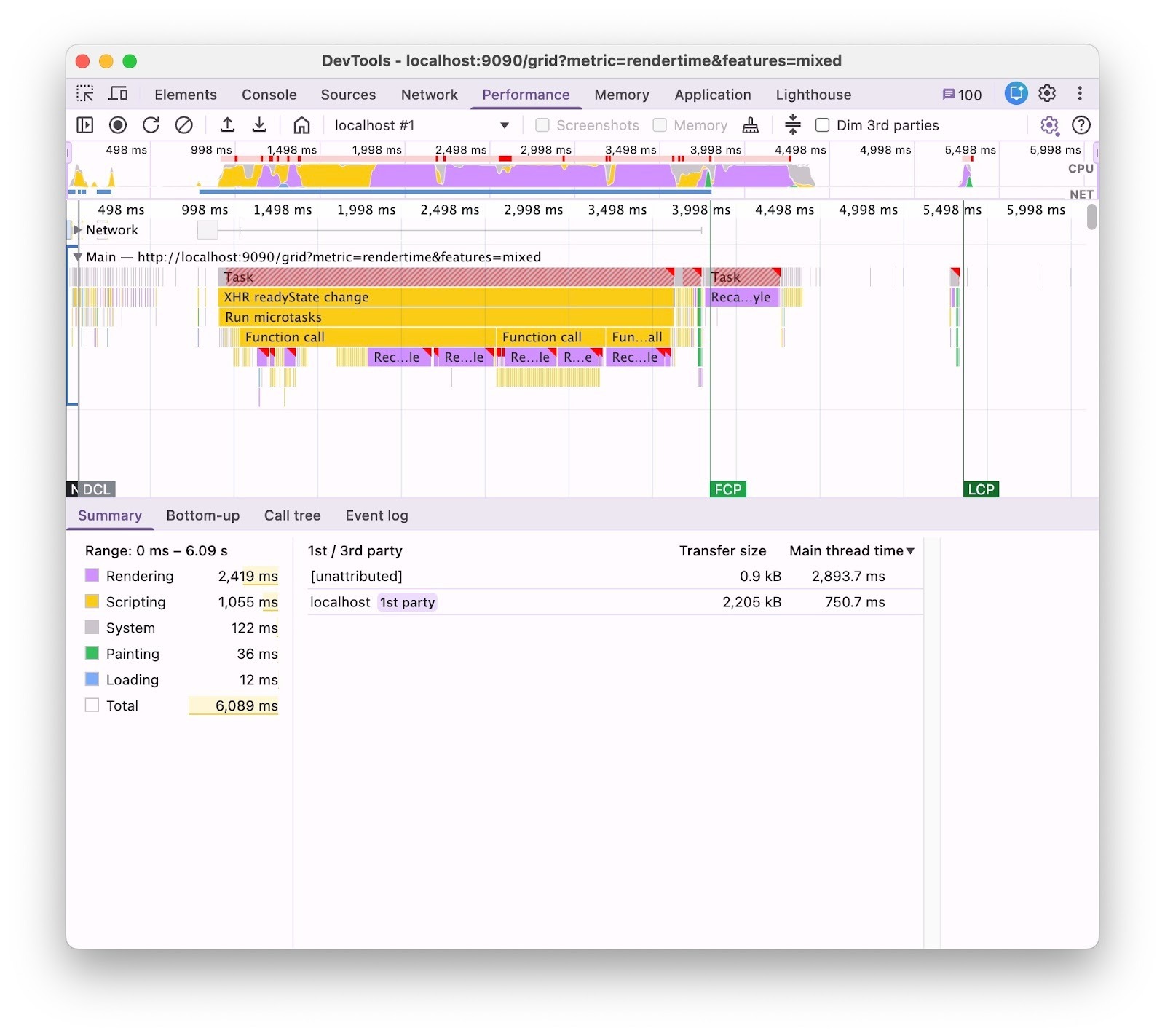
That had a real impact on large grids: time spent in the browser's "Rendering" category decreased by another 30% when using Aura:
180-column grid, initial render with Aura |
|
|
|
|
| Rendering: ~3.4 s (before) |
Rendering: ~2.4 s (after) |
We were also able to apply this optimization to Lumo. The initial render improvement was less dramatic, but the win was in scrolling performance. Average frame time dropped from 90 ms to 40 ms when scrolling a large grid with 180 columns. You can see the difference below:
180-column grid, scrolling performance with Lumo
|
|
|
| Before |
After |
Registering CSS Custom Properties as Colors Explicitly
Even after previous optimizations, rendering the Grid with Aura remained slower than with just the base styles. Debugging indicated that it had something to do with the heavy use of the CSS light-dark() function in custom properties, e.g. --vaadin-text-color: light-dark(#fff, #000).
The light-dark() function is a shortcut for defining light and dark color values for a CSS property. The browser picks the right one based on user preferences or the value of the color-scheme property. It's a convenient feature, but using it in CSS custom properties comes at a cost: they become dependent on the color-scheme property, which can vary per element. As a result, the browser can't resolve the value once and reuse it – it must resolve it on every element separately.
Removing light-dark() wasn’t an option, so we had to find another way. The solution we found was to register all base color properties with an explicit <color> syntax via the CSS Houdini API. This made it possible to tell the browser to treat the color properties as independent properties, so that they are only resolved on the element where they are defined and then just copied to other elements.
@property --vaadin-text-color {
 syntax: "<color>";
 inherits: true;
 initial-value: '#fff';
}
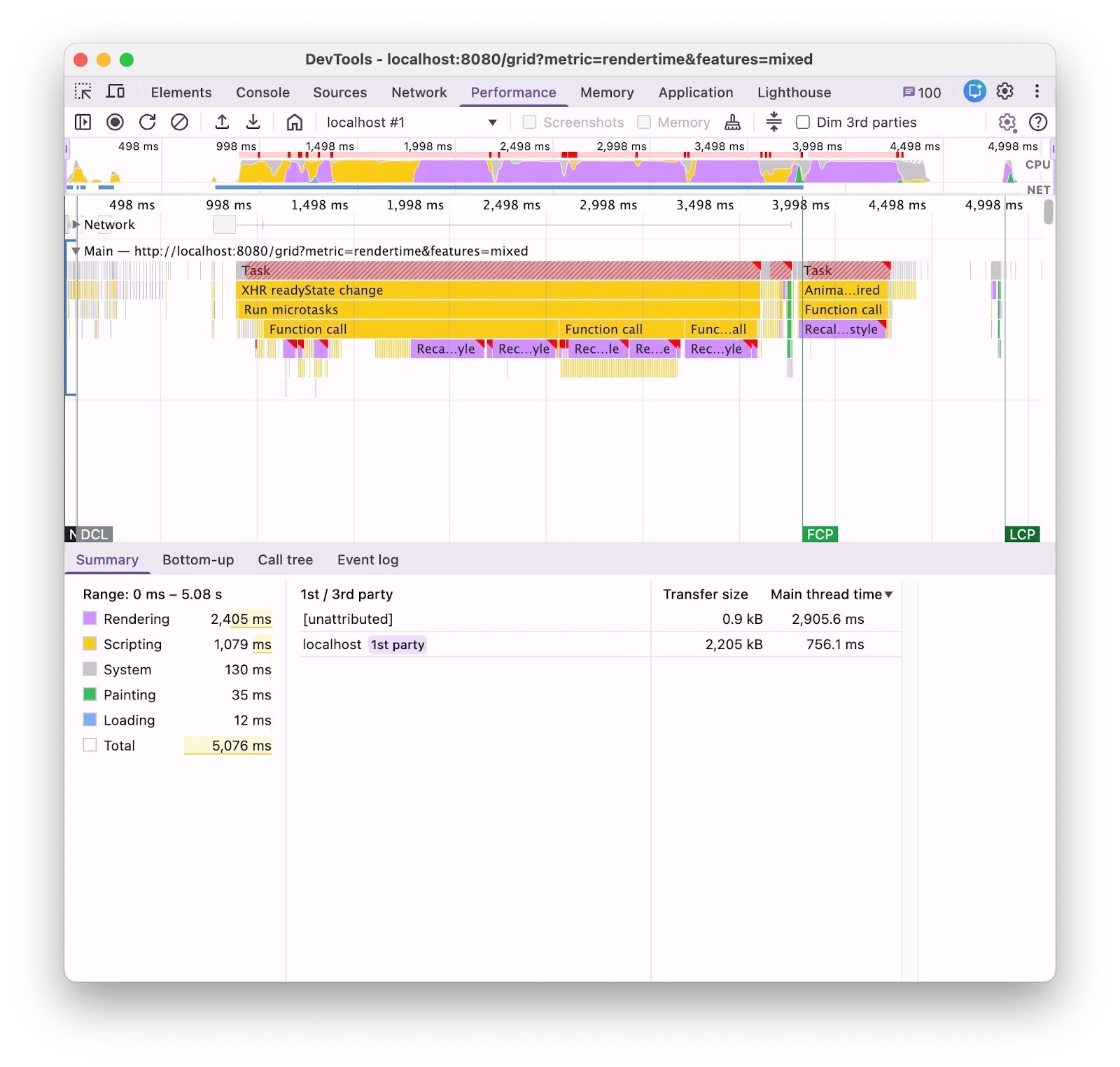
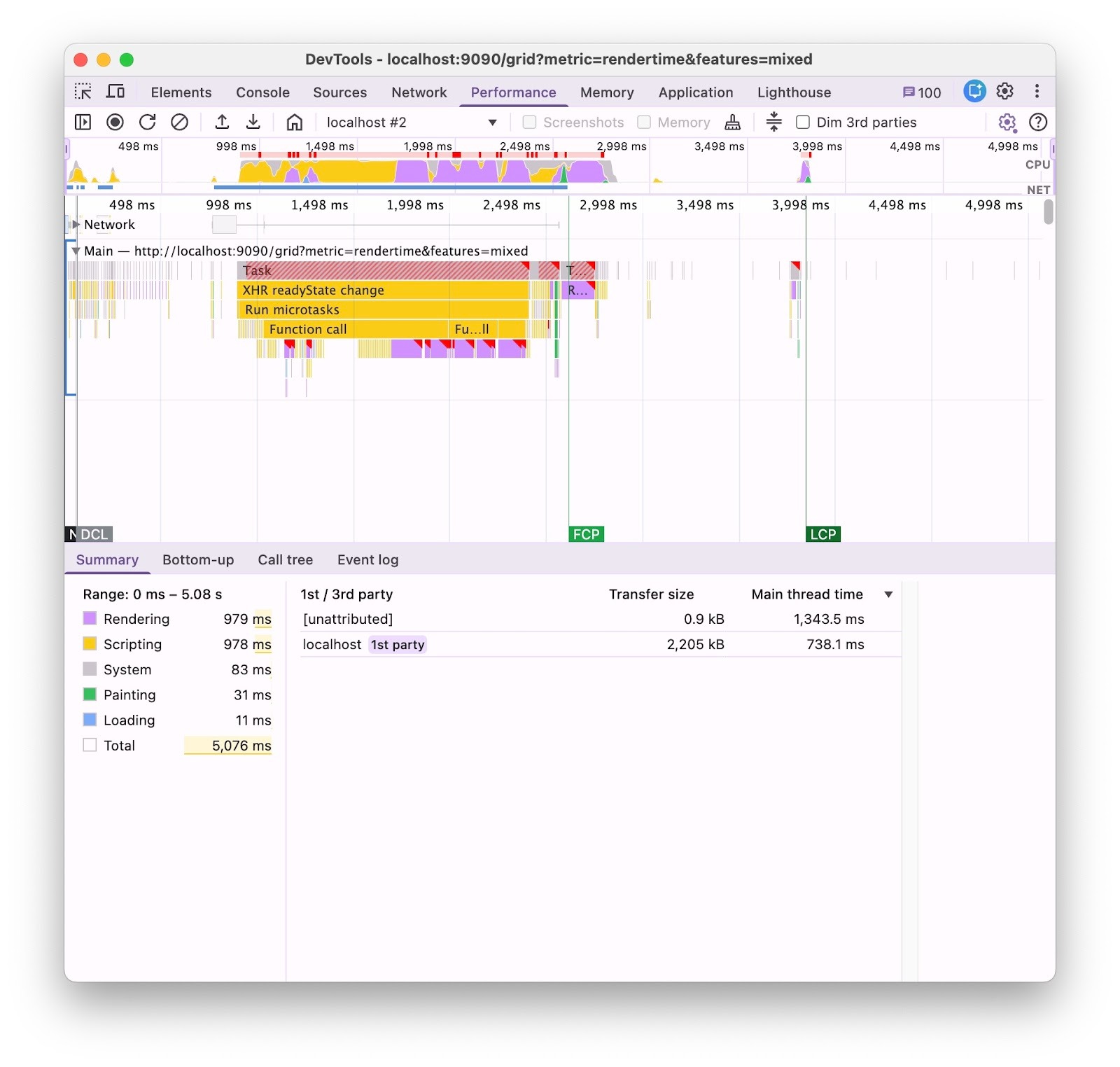
The results were significant: Aura’s "Rendering" category improved by almost 60% and finally became comparable to base styles and the Lumo theme:
180-column grid, initial render with Aura |
|
|
|
|
| Rendering: ~2.4 s (before) |
Rendering: ~1 s (after) |
Performance Work Continues
These aren’t all the Grid optimizations in Vaadin 25. There are also a major Tree Grid update that sped up hierarchical operations, a Flow Client fix that made adding many ComponentRenderer columns up to 80% faster, and a handful of smaller optimizations across other components, applying to all themes, not just Aura.
This performance work also continued in Vaadin 25.1, and some of those improvements were backported to 25.0, making them available across Vaadin 25. We’re also still paying close attention to places where we can make things faster.
We hope you’ll feel the difference in your applications. Thank you for every performance issue you report. It really helps us keep making Vaadin better for everyone.
Note: All benchmarks were run on a MacBook Pro with an M1 Pro chip and 32 GB of RAM, without any CPU or network throttling.