Hi, I have the following ‘problem’.
I have a MenuBar with one item (which has more items etc)…
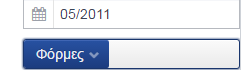
MenuBar has width 100%, with only one item, but the item doesn’t take ALL the menubar space, but only the space needed for the text to appear.
Has anyone got any ideas on how to fix this??
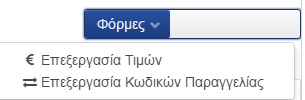
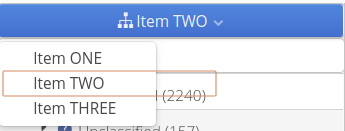
I’m attaching a screenshot, my idea is that the item “Φορμες” is 100% width… As you can see the menubar IS 100% width.
The reason this happens seems to be setting the width to 100%. If the width is undefined then it will take only as much space as necessary. With 100% the component will expand to take the available slot space around it.
What is the result you are trying to achieve by setting it to 100%?
What I want is this:
The MenuBar to be 100% width (in order to allign with other components of this form)
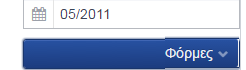
The MenuItem to use all 100% width available from the MenuBar and not only the space needed from the letters to view…
Then you can add the following to your theme’s scss file :
.one-button-bar {
      .v-menubar-menuitem {
          width:100%;
      }
  }
You can take a look at the
Book of Vaadin and page 208 (6.25.3) has the styles you can use for styling.
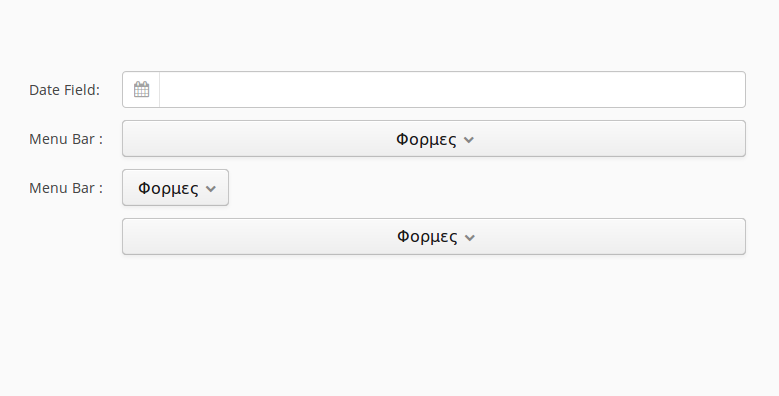
I’ve attached a screenshot of what I get as a result. The PopupButton is still a button so the caption will be rendered in the component if you are using it in a FormLayout so you might want to wrap it in a custom component to get exactly the result you want.