Hi,
I used getWidth() in order to get the width of a HorizontalLayout but it just returns it as a percentage. Is there a way to get it as a number of pixels?
My general aim is to get the available size of my application inside the browser. I tried VaadinSession.getCurrent().getBrowser() but couldn’t find a way to get it.
The need to get the size of HorizontalLayout in pixels sounds like there could be alternative ways to achieve the layout you’re aiming to do. Would you mind sharing a bit more context?
For example I would like to know the width of the app in order to have 2 or 3 versions of the layout, according to the width. I can get the OS and know if it is pc or tablet or smartphone. But still, in pcs the user might use half the width of the screen. In phones and tablets there is a variety of screen sizes plus that screen widths might change in future.
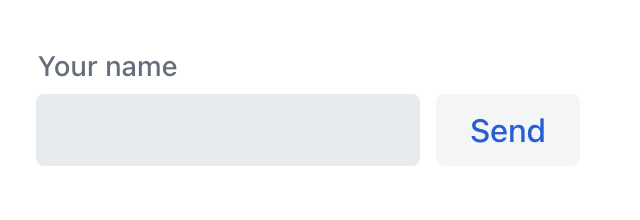
Ok, so basically making the UI responsive. The most common approach is to base the changes on the width of the viewport using media queries in CSS. Vaadin has helpers for calling the predefined breakpoints using LumoUtilities.
Here’s an example of changing layout on Medium breakpoint (768px).
Div layout = new Div(field, button);
layout.addClassNames(
    LumoUtility.Display.FLEX,
    LumoUtility.AlignItems.BASELINE,
    LumoUtility.Gap.Column.SMALL,
    LumoUtility.FlexDirection.COLUMN,
    LumoUtility.FlexDirection.Breakpoint.Medium.ROW
);
You can’t do all with CSS Juuso, I have been doing this e.g. to change an actual Grid with some single column layout (or to to change how many columsn are visible and how the data is formatted. In some cases the width of the screen is not enough either, if there is for example a split layout or similar.
Depending on what exactly you are doing, you might want to check the ResizeObserver in the Viritin add-on:
Interesting option.
I prefer to use css file most of the times, but predefined breakpoints can be used for component alignment and css file for colors.