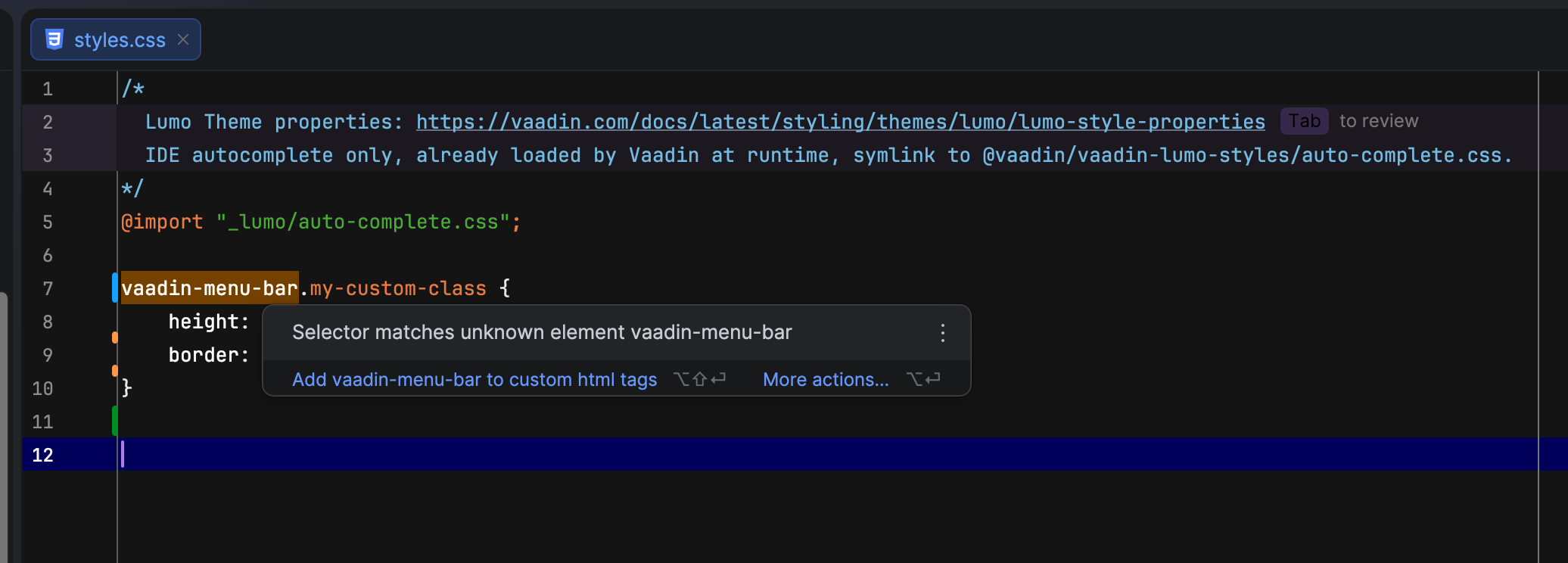
Hello, I am trying to properly style Vaadin Web Components using custom CSS files, but I am running into an issue with validation in IntelliJ IDEA Ultimate.
The IDE marks Vaadin component selectors (e.g. vaadin-*) as invalid and suggests adding them as custom HTML tags. That approach does not seem correct. Vaadin already defines these components, so the IDE should ideally recognize them without manual overrides.
What I am looking for is a way to fix indexing or configuration so that these tags are validated correctly. I do not want to suppress the warnings — I want proper support so the validation behaves as expected.
Honest answer: IntelliJ CSS inspection “Selector matches unknown element” for custom elements (vaadin-*) is not solvable via project files. It’s a known limitation — the CSS validator uses a built-in HTML element whitelist and doesn’t integrate with web-types.json for CSS
selector validation.
Options:
Suppress per-file with /* noinspection CssUnknownTarget */ above the rule — manual, messy
Disable the inspection globally in IDE settings (Settings → Editor → Inspections → CSS → Unknown symbol) — not shareable via git
Disable per-project via inspection profile in .idea/inspectionProfiles/Project_Default.xml — shareable, but you said you don’t want to suppress
The real answer: there’s no way to teach IntelliJ’s CSS validator about vaadin-* elements via project files. The web-types mechanism only works for HTML/JS context, not CSS selector validation.
I find it hard to believe that the Vaadin team does not provide a solution for this, so I hope I am doing something wrong instead.
Is there any supported way to make CSS validation recognize Vaadin Web Components properly?
Ideally, I am looking for a configuration that can be shared with the whole team via Git, or at least clear steps to configure a JetBrains IDE so CSS validation works correctly with Vaadin components.
Imho Vaadin Tag Names are internal APi (I know there are not… just saying for simplicity) - you are asking within flow (therefore I assume you use java): I would highly recommend to add class names to components and work from there. You won’t get IDEA fixed. Using class names comes also with the benefit that you can technically switch between Vaadin’s components.
We provide metadata for the Vaadin web components in their respective NPM packages, but IntelliJ will only find those if these packages are actually installed. Since Flow has optimized the dev build to use a pre-built / custom bundle you usually do not have the NPM packages installed in your project at dev time.
Then create a package.json (assuming you don’t have one yet) with the following content:
{
  "web-types": "./vaadin-web-types.json"
}
After that IntelliJ should auto-complete the web component names in CSS, HTML, etc. One downside to this approach is that you now have to maintain the package.json and Vaadin will make updates to it on version bumps. It should preserve the web-types field though.
The CSS autocomplete only covers Lumo CSS variables, not element names.
Related to that, you should not import the autocomplete CSS file from your custom CSS. At best you load unnecesary CSS, at worst you break something in the theme. It should suffice to have the autocomplete CSS file somewhere in your project, that should be enough to get IntelliJ to recognize the custom CSS variables.
Edit: The autocomplete CSS unfortunately has the same issue as the web types. We do ship it in the Lumo NPM package. But as long as Flow does not install it in a project, you can not benefit from it. So for now the only option is to copy it into a project.
In general: Do not import it, and for autocomplete it shouldn’t make a difference whether you import it or not. The important part is that the file is somewhere in your project folder and is indexed by IntelliJ. At least that’s the status quo to the best of my knowledge.
Regarding the symlink, what do you symlink to? Do you have the NPM package in your project after all?
Several npm packages are auto-downloaded, and each of them includes its own Web Types JSON file. Is there a “main” package that ships the file you shared in the gist (vaadin-web-types.json · GitHub)? Where should I look?
If you have the Vaadin web components NPM packages installed in node_modules then it should work out of the box without workarounds. The file I gave you is a custom build I created, based on the assumption that you don’t have the NPM packages installed.
Let me give this a quick try if this works locally.
OK, it does not work when NPM packages are installed. Not sure if there was a change in IntelliJ or our packages that broke it. So for now the workaround I gave you seems to be the only option.
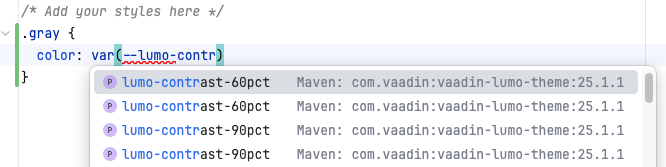
As for the Lumo CSS props, it looks like it finds those in several places though, even from the resources in the Lumo JAR file:
Can you create a GitHub example repository where this issue is reproducible, for the whole Vaadin/JetBrains teams please?
The use case is straightforward: someone wants to customize the Lumo theme, either by adding custom classes or overriding CSS variables for web components.
1.	Make CSS variables available for IDE autocomplete
2.	Make custom web component tags visible in the IDE
I think this is missing from the documentation and should be covered. Otherwise, it’s easy for people to implement it incorrectly.