Vaadin 23.3. JDK 17. MacOS.
If i update some css files in folder frontend during app running. Vite doesn’t reload the change immediately.
I set com.vaadin.experimental.viteForFrontendBuild=true in vaadin-featureflags.properties
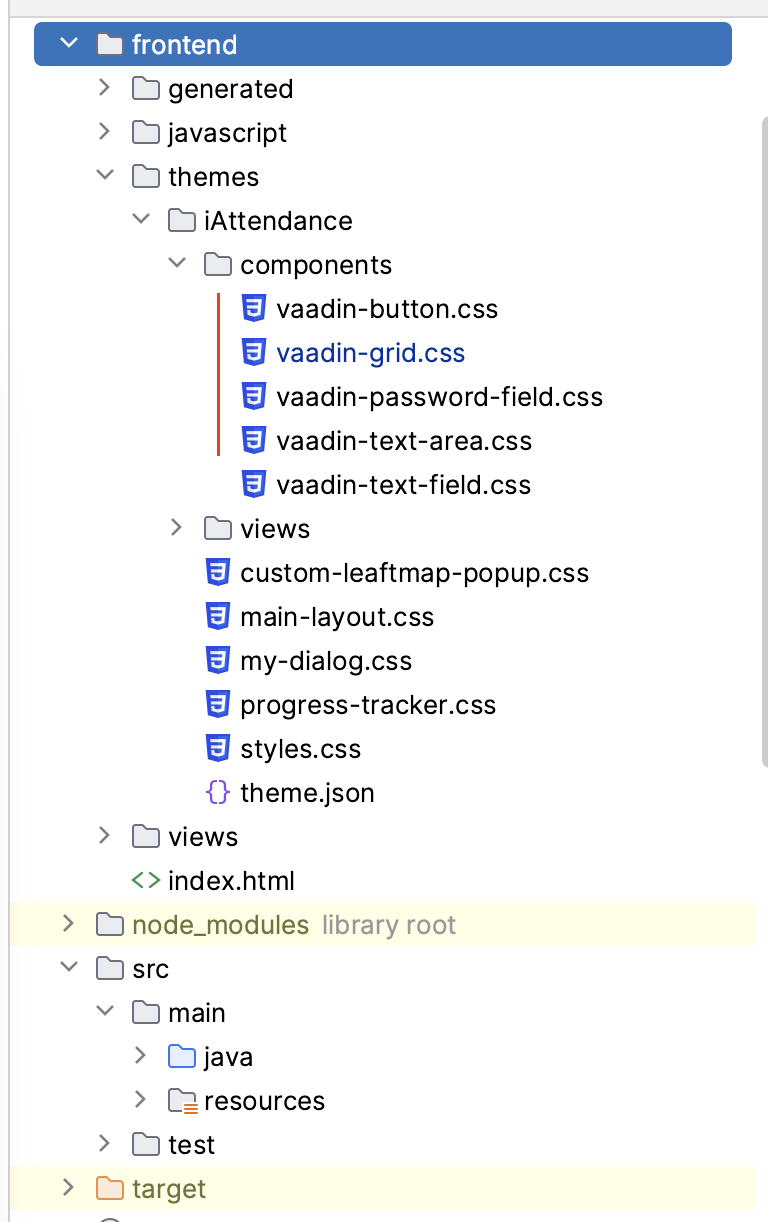
Vaadin 23.3. JDK 17. MacOS.
If i update some css files in folder frontend during app running. Vite doesn’t reload the change immediately.
I set com.vaadin.experimental.viteForFrontendBuild=true in vaadin-featureflags.properties
“Bug” Reports are more suited to be posted on Github. Just a note: with 23.3 the flag isn’t needed and make sure your editor really saved the file (like pressing CTRL+S)
i am not sure if it is a bug or vaadin 23.3 stopped support this feature ?
It sounds like a feature worth having
But exactly this already works. Just tested with V23.3 and 24.0 - once I change a file within the components folder and go back to the browser window it’s reloading and the css is applied.
last time I tested with vaadin 23.1 and it worked fine for me, now after upgrade to vaadin 23.2, 23.3 then it is no longer working for me. I have to compile entire of source code again to apply css changing
Sounds like something is bugged in your env, the Feature is still present and works normally 
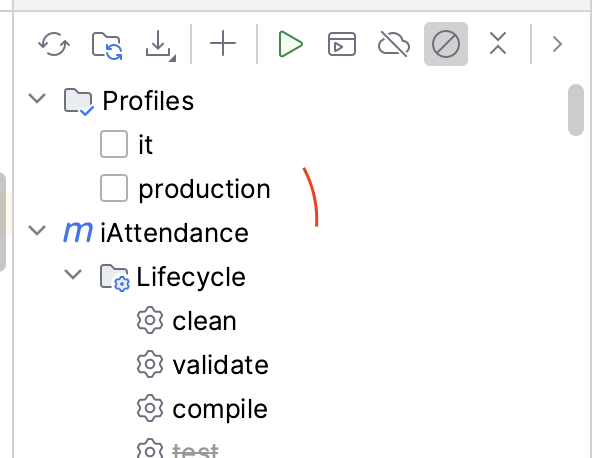
oh, i known. I built with production profile. so Vite was disabled. Now i build without production profile enable. vite is activated but got new error  :
:
TypeError: Failed to fetch dynamically imported module: http://localhost:9090/VAADIN/@fs/Users/projectName/target/frontend/generated-flow-imports.js

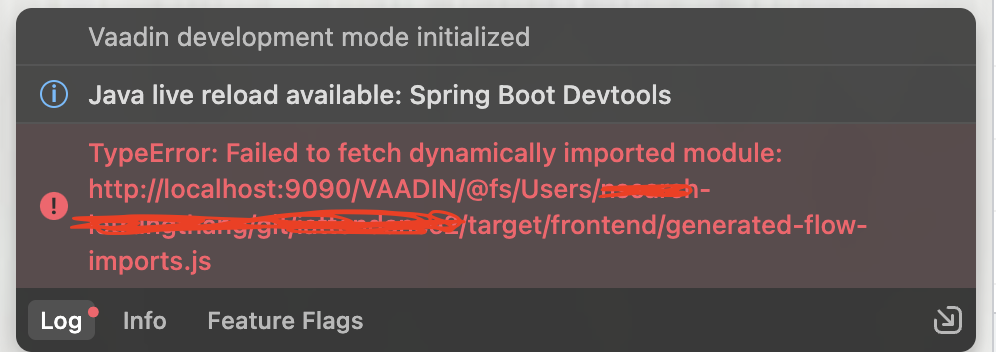
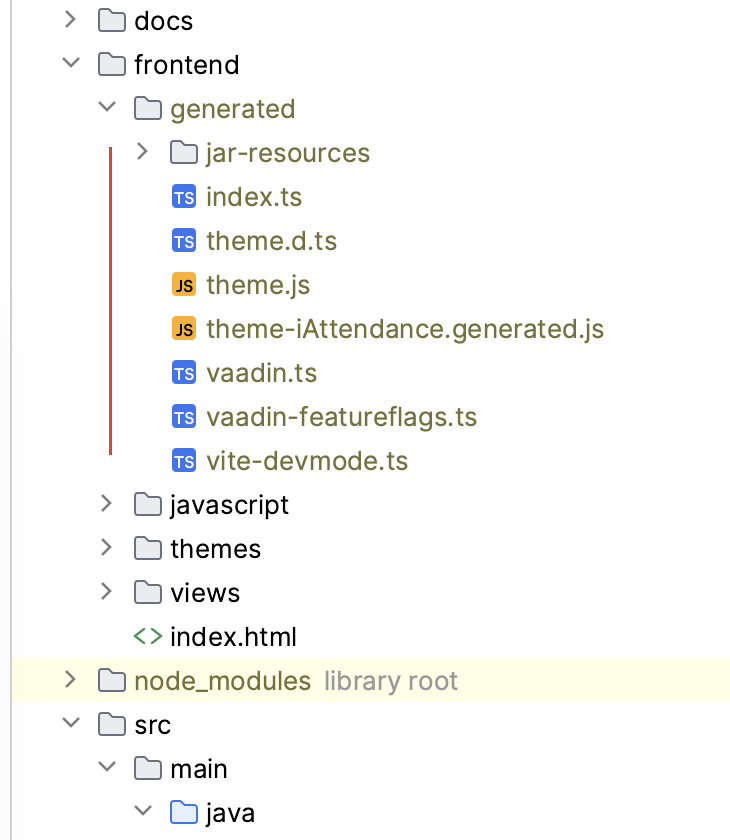
How come after build. i still cannot get file generated-flow-imports.js
okay. because i am using Brave browser. change to chrome it works 
do we have plan to fix this issue ?
There is not much Vaadin can do. It’s related to vite / brave.
okay. anyway, in prod build, the issue does not happen