I am apply yellow background color to select field by doing:
vaadin-select.GridEditedSelect{
	background-color: #f2e67c; (yellow color)
}

but it looked like some grey color overlapping in the middle.
so I thought I should just made the grey area to yellow by doing:
vaadin-select.GridEditedSelect > vaadin-select-value-button {
background-color: #f2e67c;
}
But it looked like this now( I want it to be yellow not just partially):

I was trying to troubleshoot by going over the elements on the browser’s developer tools - Elements panel
I do notice when I uncheck the background from :host which inherited from slot
The grey area would go away
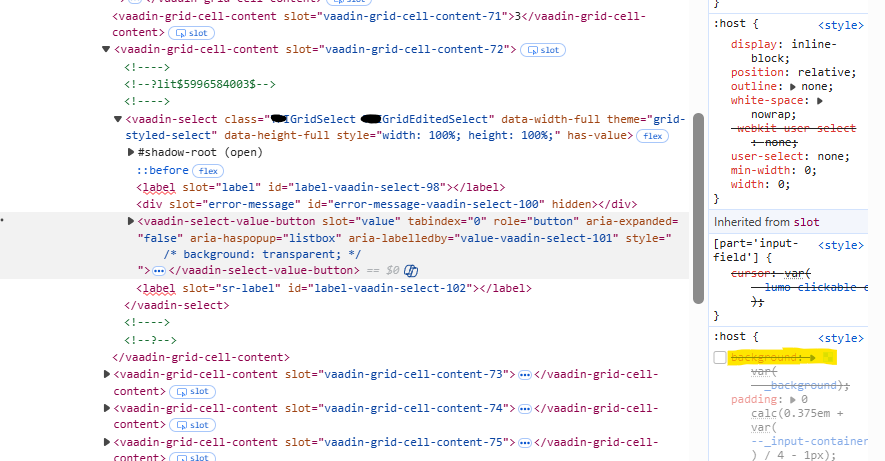
I am a bit confused now, how can I style this select field to not show the the grey area?
ideally should look like this:
