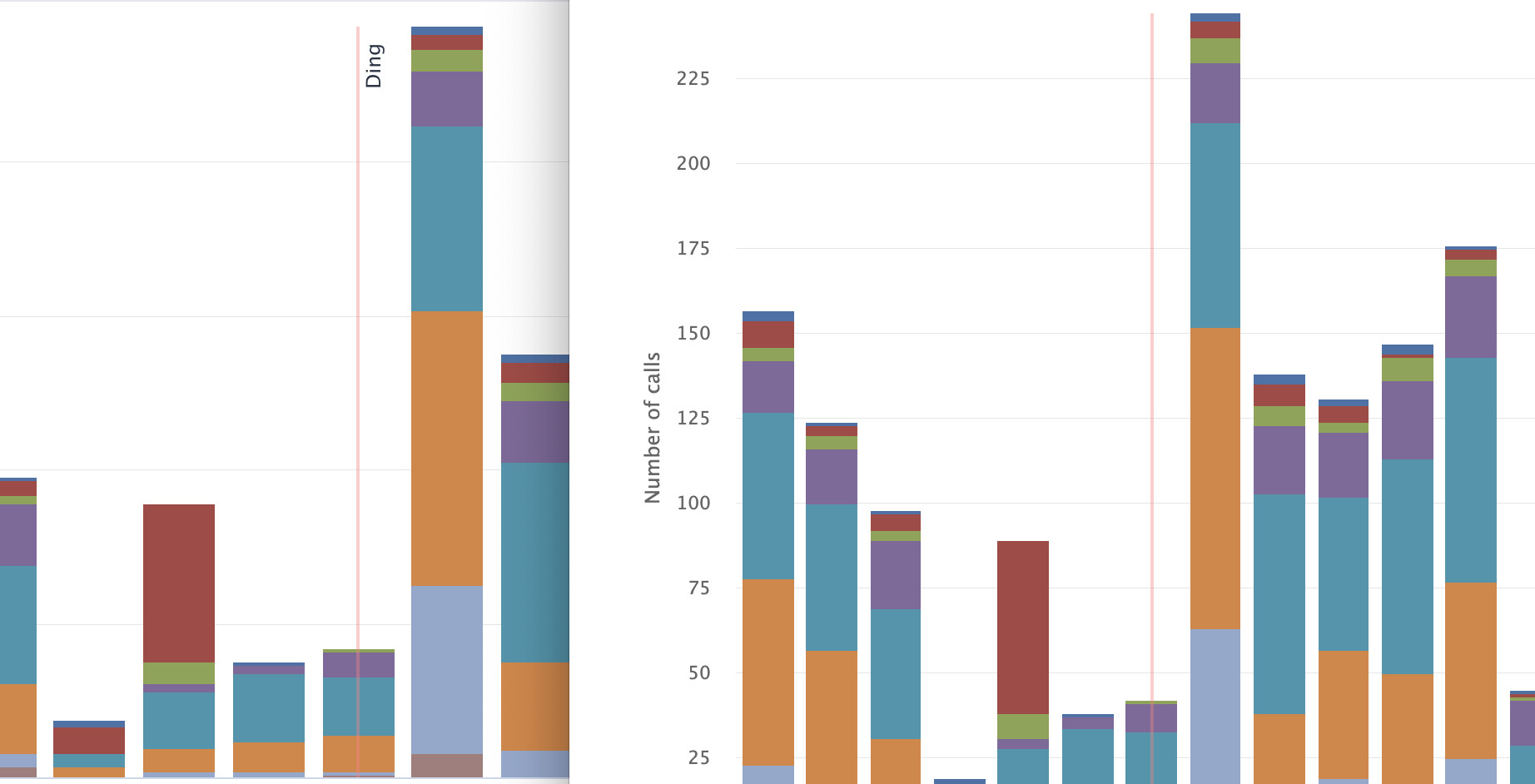
I’d like to enable some additional attributes for local chart rendering to PNG. It is generally working as expected except that I’m seeing some unexpected behavior from x-axis plot lines:
title attributes are just dropped. In the log stream I see Highcharts warning: Invalid attribute 'title' in config. Highcharts documentation suggests setting sending Highcharts.AST.allowedAttributes.push('title'); prior to doing the chart though. Is there a vaadin shortcut for this, especially for the SVGGenerator pathway?
If I add a chart Label (html enabled), it works as expected in my UI, but the local node renderer drops them when I try to render to SVG/PNG/whatever.
Example: In the attached image, the left side is an active UI, the right is a downloaded SVG of the same chart. Note the missing “Ding” on the right (this is implemented as an HTML-enabled Label)
Had the same issue and the only solution I found that works was to create a small javascript, that imports the Highcharts and modify its global setting.
(I allowed the slot tag and its name attribute to embedd lightdom elements from Java (e.g. a Div) for the label, that I can then target with our Popover.)
import Highcharts from 'highcharts/es-modules/masters/highstock.src.js';

if (Highcharts && Highcharts.AST) {
    if (!Highcharts.AST.allowedTags.includes('slot')) {
        Highcharts.AST.allowedTags.push('slot');
    }
    if (!Highcharts.AST.allowedAttributes.includes('name')) {
        Highcharts.AST.allowedAttributes.push('name');
    }
}
Simply adapt the script to your case and import the file via the JsModule annotation.
Thanks, Stefan - I think this works for allowing title in UIs, but I suspect that I will need a different approach to fix whatever is going on with the SVGRenderer.