Ah, that would be a bug. I actually haven’t designed how that should be shown on the small screen.
Margin is not working in FormLayout using new Valo Theme.
public class AdminView extends FormLayout{
public AdminView() {
    setMargin(true);

    ComboBox project = new ComboBox("Project:");

    addComponent(project);
}
}
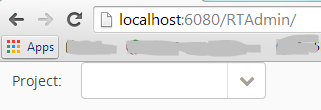
Arun, you’re unfortunately correct. I apologize for this simple error on my part. Will hopefully be fixed in the next maintenance release:
http://dev.vaadin.com/ticket/14610
Jouni, do you know why is the “mobile menu” not shown on iOS (iPad and iPhone)?
Is there anything special we must do that was not on the
demo
?
The menu is shown perfectly on android devices, and iPads(the “the tablet version” of the menu), but unfortunately is not shown at all when opened on an iphon4 with safari…
And other thing I’ve noted: The inline-icons are not show on the right place for TextFields on FormLayouts, don’t know if it was something known for you, but maybe it might be a bug… It works perfectly when I pack the Textfield in a HorizontalLayout and then put it in the FormLayout…
The demo should have all the source code you need. You need to add the logic for the menu button to toggle the “valo-menu-visible” style name for the root menu component.
That’s true. At the moment the inline-icons are only supported inside Vertical and HorizontalLayouts, and CssLayout (probably has limitations). This is not mentioned in the JavaDoc for the INLINE_ICON style. Probably should be.
I don’t remember how FormLayout handles component icons, but I would guess that it’s pretty much impossible to get it to work with just CSS. So wrapping your field with a CssLayout might be the only option.
This is not the problem. As I said, the toggling works great on android, for example.
The only problem is that absolutely nothing from the menu is shown when rendering on iPhone. Not even the Menu Button, nor the page title, nor the MenuBar, absolutely nothing…
Any idea?
Sounds like the same bug that we encountered in RC1. Should be fixed in final though. The problem was the overflow: auto; style added to the valo-menu-part element in the sidebar. Setting it to overflow:visible fixed that issue. The overflow: auto; was then moved to the menuitems element inside the menu-part element.
Okay, thank you very much again for your attention and fast replies!
Do you know if there is any workaround for it?
Hi,
Thank you for this nice theme and for the useful demo as well. I like both so much.
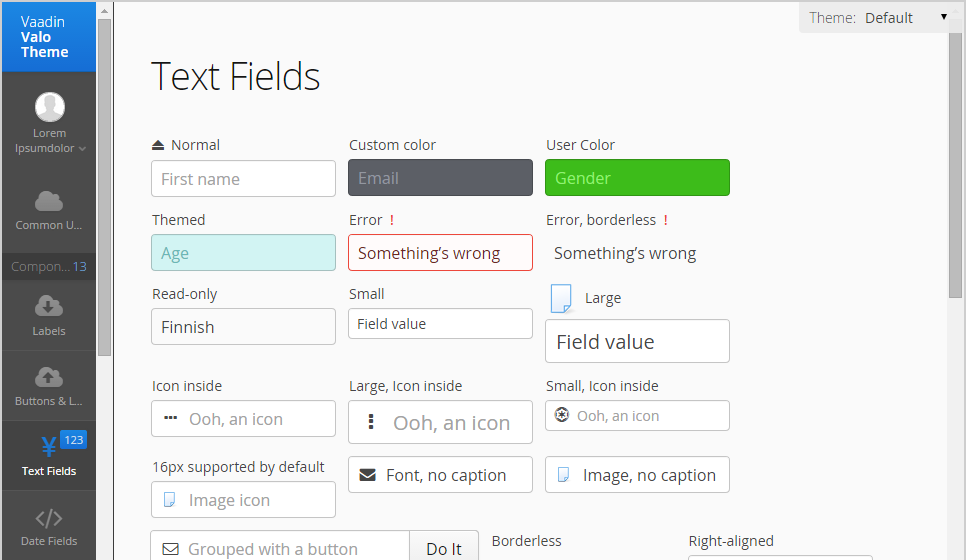
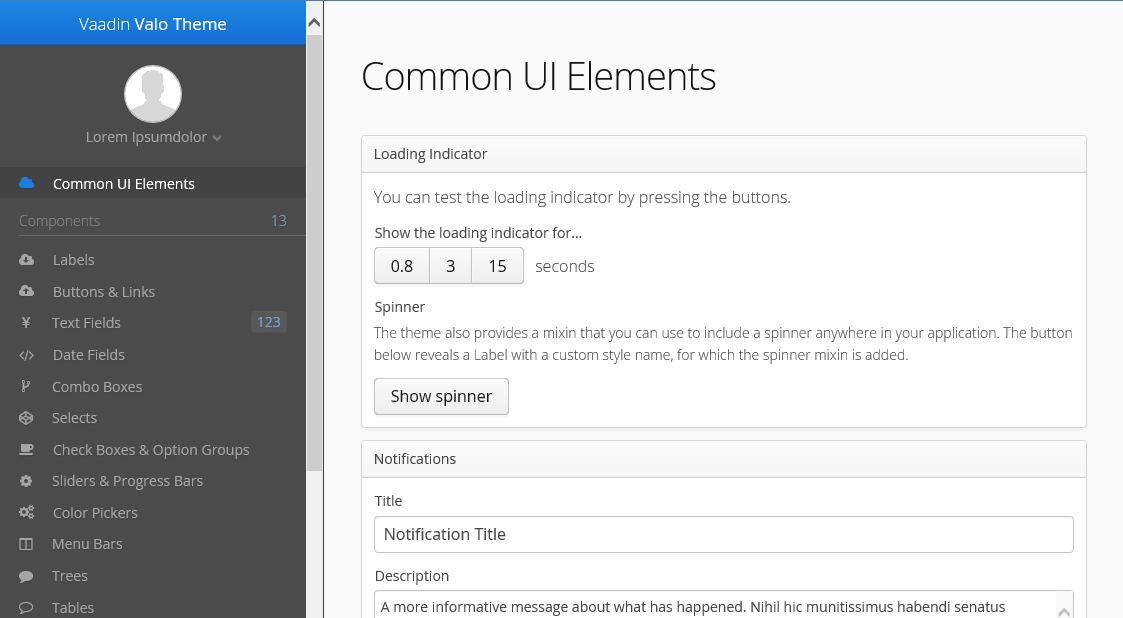
I have a question, if anyone can help. I am using the same side menu in the demo. The side menu resizes with the browser window, when the browser window is maximized it looks as in attachment image (bigmenuitem.png).
When the browser window is resized to a smaller size, it looks as in attachment image (smallmenuitem.png).
I want always to have the small menu style and never have the big menu style even if browser window is maximized.
Can anyone help on that?
Thanks in advance.
Hi Mohamed,
You can get that by overriding one mixin and then including another mixin to the menu component:
@import "../valo/valo";

// Override with an empty implementation, which removes the default responsive behavior
@mixin valo-menu-responsive {};

.my-theme {
  @include valo;

  // Add the "large-icons" style to the menu
  .valo-menu-part {
    @include valo-menu-large-icons-style;
  }
}Thanks Jouni. It worked perfectly! 
Hi all,
I would say we still have (in 7.3.1) a small style issue with immediate on the upload button, at least when it’s inside a Table.
I’m using a table, with expiciti row item captions, and a first column with comboboxes, and a 2nd column with upload buttons.
When I want to select a value in the combo, I get the upload dialog.
My understansing is that the upload somehow is “over” the combo field, and even if part of it is invisible, it still catches the “click” first.
I tried to illustrate these with the 2 attachements.
I’m using Cr & Safari.
Is this a bug, or I’m I doing it wrong?
16533.pdf (15.9 KB)
16534.pdf (42.9 KB)
Any news regarding the menu on the iPhone? I just tested it and still no changes. At iPhone, the menu ist shown with the “small” menu, but not with the toggle button. In Safari on Mac OS, everything is perfect, if i resize the window.
I even created a new theme based on valo and made these changes:
@import "../valo/valo";

.my-valo {
  @include valo;

  .valo-menu-part {
    overflow: visible;
  }
}
cheers
Ok, I found it out. It was the missing SessionInitListener where some Meta-Elemements are added to the resulting page.
Hi everyone!
I have some problems with styles.css which is in “…/theme/mytheme” this directory.
I compiled styles.scss with Koala and styles.css had changed.
(From the command-line, navigate to your project’s VAADIN/themes/my-theme-name folder and use the following command to compile the theme:
$ sass styles.scss styles.css - in your documentation)
However when i did clean/install by maven, styles.css turned to old stiuation. How can i fix it ?
Thank you in advance.
Ok fixed it.
In the pom.xml you must comment out this line
compile-theme
Hello Jouni,
Isn’t better just to overide include width-range and remove the max
.v-ui {
@include width-range($min: 801px) {
.valo-menu-part {
@include valo-menu-large-icons-style($valo-menu-background-color);
}
}
}
Hi,
I just wanted to ask if it is planned to provide something similar to the chameleon theme generator for valo, so that you can quickly try different variables/settings online. Something like the demo application for valo but with settings so that you can quickly see all components etc. I don’t know if this is even technically possible because of the theme compilation, I just wanted to ask.
Furthermore I think something like a Theme Repository (similar to the addons directory) would be great so that people can share their themes.
Hi Jouni,
Is it possible to change the default color(blue) of the progressbar? Please let me know. Thanks.
regards,
Arun
Sure, use the
$v-loading-indicator-color
variable to control that.