I didn’t yet check if there is some issue with the ToggleButton addon in the latest Vaadin versions.
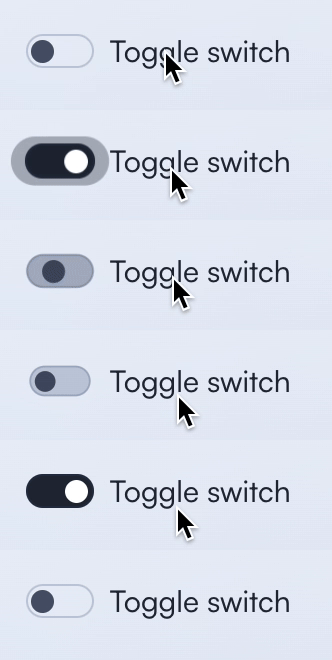
Here’s an alternative for the addon that simply styles the checkbox to look like a toggle switch. Originally written by @anezthes, kudos to him.
The styles can be placed in styles.css or anywhere in the lightDOM (not in /components).
vaadin-checkbox[theme~="switch"]::part(checkbox) {
    border-radius: 9999px;
    width: var(--lumo-size-m);
}

vaadin-checkbox[theme~="switch"]::part(checkbox)::after {
    content: "";
    height: calc(var(--lumo-size-m) / 3);
    background-color: var(--lumo-secondary-text-color);
    border-radius: 9999px;
    inset: 0;
    margin: calc(var(--lumo-size-m) / 12);
    opacity: 1;
    transition: transform 0.2s;
    width: calc(var(--lumo-size-m) / 3);
}

vaadin-checkbox[theme~="switch"][checked]::part(checkbox)::after {
    background-color: var(--lumo-primary-contrast-color);
    transform: translateX(calc(var(--lumo-size-m) / 2));
}
In java you’ll need to apply the “switch” theme to checkbox.
Checkbox toggle = new Checkbox("Toggle switch");
toggle.getElement().getThemeList().add("switch");