How can i style “#scroller” element in vaadin-grid?

vaadin-grid #scroller is not working. Thanks for answer :)
How can i style “#scroller” element in vaadin-grid?
vaadin-grid #scroller is not working. Thanks for answer :)
It has no part attribute and can’t be accessed from outside. You need to use the old way of providing a components/vaadin-grid.css and access it from there
What’s the use case that you want to achieve? The #scroller element is considered an implementation detail and even though it’s possibly to inject styles into shadow root, you shouldn’t target this element (and any other elements without part attribute).
Hello, I have a similar request and after scouring the internet this is the closest I have found.
I NEED to style the table element under the #scroller in a VaadinGrid, but it does not have a “part” atrribute.
This is the ONLY solution for my very specific problem, I know I shouldn’t target this element but I need to to do a very specific thing.
How can I go about it?, please help me…
A part of your post seems to be lost?
In general: as @knoobie has written, you can do that using the shadow dom styling, that is a part of the Flow theming.
If you have no theme yet, setup one following the documentation here: https://vaadin.com/docs/latest/styling/application-theme
Then you have to create the subfolder “components” plus a css file “vaadin-grid.css”, as described here: https://vaadin.com/docs/latest/styling/advanced/shadow-dom-styling
There you can access the shadow dom using more or less “normal” css.
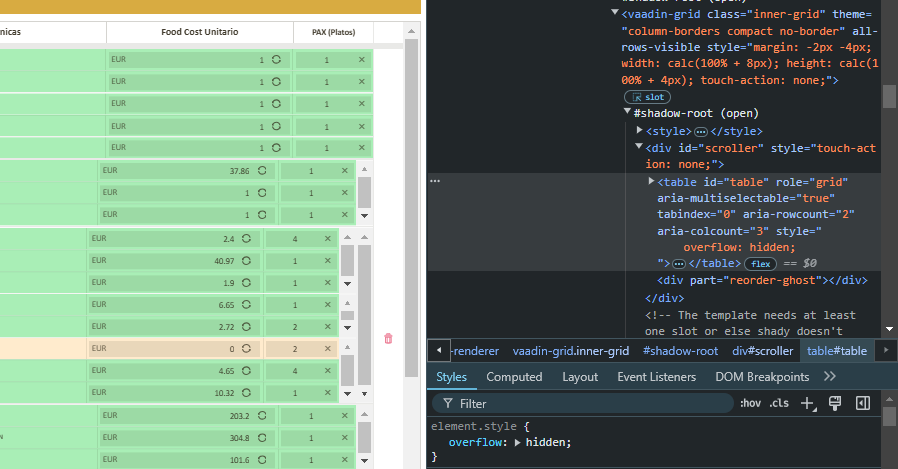
I need to access the Table element inside the shadow-root, however, that element has no “part” attribute. All I need to do is add a css style to that element: “overflow: hidden;” and all my very specific problems get fixed.
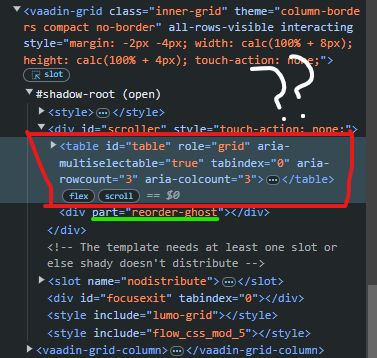
I have no problem accessing the “reorder-ghost” element while testing with the ::part(reorder-ghost) css selector but i do not need to acces that one, i need to acess the table element.
Please help.
What are you trying to achieve? The recommended way of styling is to use parts for individual cells. Or, if you need some styles for grid itself (e.g. border etc), then you can just style the host element.
My friend, i just want to achieve what i said before, for a very specific reason.
I want to add the “overflow: hidden;” style to the table element inside the #shadow-root.
I have tested adding this style via the browser inspector and everything works flawlessly as i need it, but i cannot achieve this any other way.
I am aware of the “recommended” way of styling using “parts” and the styles and themes and all methods on the VaadinGrid & elements/components, I know these things, I cannot do what I need throught these methods, I need to specifically do what i am asking for.
There is no other solution to my connundrum, that is why i am asking for help.
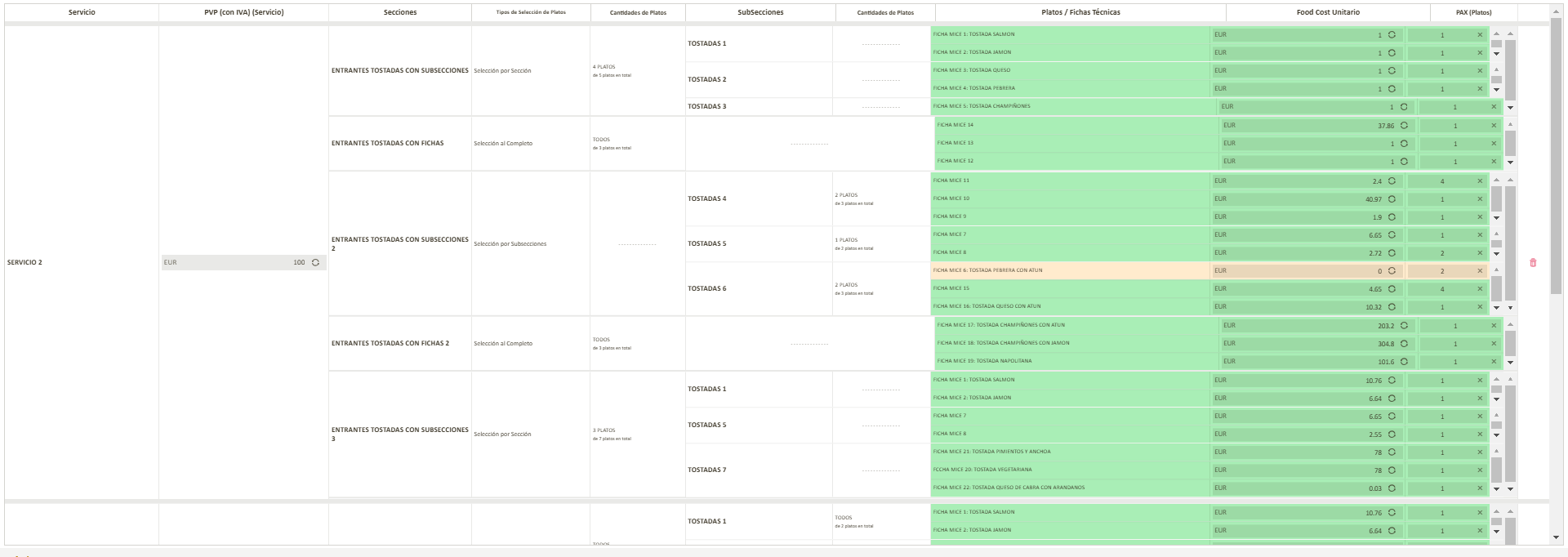
If you want more context, I have grids sinside grids, and everything so far works amazing, EXCEPT on certain resolutions. The Grids with “all-rows-visible” think that they dont fit inside the father grids’ cells on certain resolutions, it is a bug, very weird behaviour, and some unnecesaary and ugly scrollbars appear which disrupt everything.
Well the only way i found to fix this is to add the style “overflow: hidden;” to the table element inside the shadow-root of my “inner-grids”:
I have tried literally everything for months and this issue has been abandoned for such. It is time for me to fix it and this is the only way i have found a way to do it.
/themes/<my-theme>/components/vaadin-grid.css
#table {
  overflow: hidden;
}
Might this be a box-sizing problem @web-padawan ?
Doesn’t work.
I cant access any element inside the #shadow-root without the “part” attribute, for which I use the “::part()” CSS selector. Unfortunately #table has no “part” attribute…
Please reread his comment again. You DONT need part attributes inside the components folder - that’s part of Vaadin’s magic.
Yeah well that magic didnt work.
:host(.inner-grid) {
#table {
overflow: hidden;
}
}
I used the “:host()” CSS selector and it all worked. Just so you know…
Hi Guillermo,
We don’t always do the best job of explaining this, but there’s an important difference between styling in the Light DOM and the Shadow DOM.
For Light DOM, you’re correct—you need to rely on the ::part selector, like vaadin-grid::part(something), which can be placed almost anywhere in your stylesheet, as long as the stylesheet is properly imported.
In the Shadow DOM, styling is a bit different. If you create a vaadin-grid.css file and place it in your theme’s component folder, it will be automatically picked up—no manual import needed—and you’ll gain access to everything within the component’s Shadow DOM.
The selectors change slightly, too. Instead of vaadin-grid, you’d use :host, and instead of vaadin-grid::part(something), you’d use [part~='something']. With Shadow DOM access, you can also directly style the internal #table element.