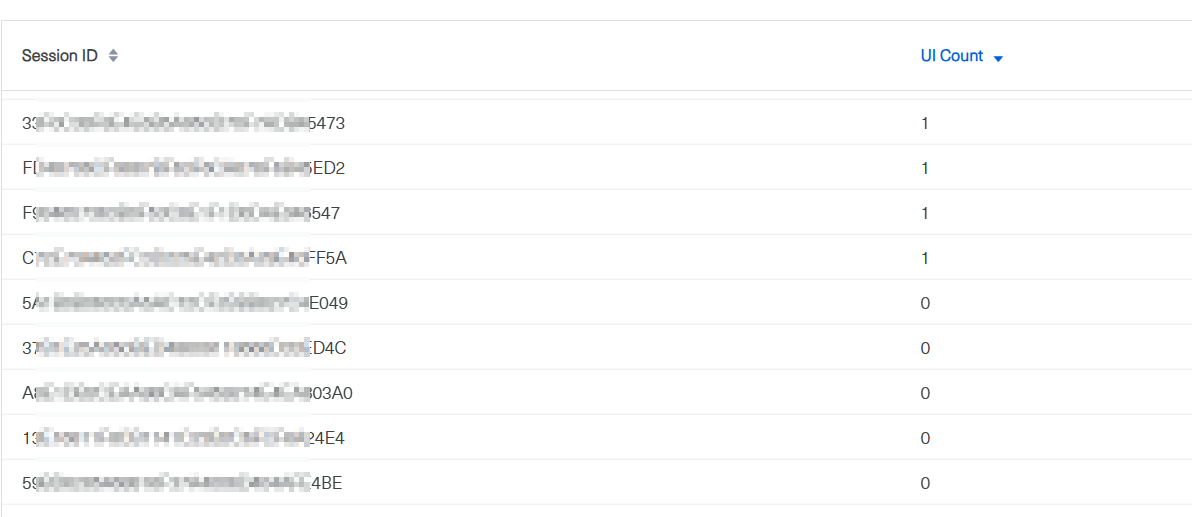
The sessions without a view, are those which are falling into “the counter which destroy the session” once th 30min are reached or?
If a user come back and creates a view, the timeout counter gets reseted.
Is that a correct understandig? What excactly happend once a user has no view and the session timeout reaches 30 min? I think i could reduce the session livetime, but dont now if that would affect the app behaviour, thats why i am trying to understand what happens once the session gets killed
The main goal of all views is: User opens a view, enter data etc. once he has finished his task and close the Browser/View. He dont need it anymore so there are no background tasks which updates the view or so. That sounds like i could saftely reduce the timeout in order to free memory earlier.
Any input/suggestion/experience highly seen. Are there valuable reason to have a 30 min session timeout?
I am using JWT/Stateless Auth, so the user should be kept logged in once the session gets destroyed (unless he does not empty its browser cookies etc)
All the details of this question should be documented here:
It is important to understand the difference what Vaadin is doing and what the servlet container is doing.
E.g. you can configure Vaadin to have closeIdleSessions=true and servlet container to have HttpSession timeout of 30 minutes. This will trigger VaadinSession to fire session destroy at that time. But it is task of the servlet container to clean-up those HttpSessions. It might not happen immediately. E.g. Tomcat has Catalina utility thread running background periodically and it collects the HttpSessions to be closed eventually.
That is why I am usually setting session destroy listener and there I am invalidating the underlying HttpSession
I think i could reduce the session livetime, but dont now if that would affect the app behaviour, thats why i am trying to understand what happens once the session gets killed
What is the suitable session timeout really depends on the application. Sometimes it is desired to have it short, sometimes not. Note. even when the timeout is short, the heart beat will keep session alive (assuming closeIdleSessions=false) when browser tab is open. And after you close the tab, VaadinSession will eventually be closed after the timeout (note not HttpSession see the previous note).
I am using JWT/Stateless Auth, so the user should be kept logged in once the session gets destroyed
With JWT token based authentication it is possible that SSO service renews the token automatically. This may give an impression of the session not being closed. I.e. when there is timeout, the session will be closed, but user is immediately re-authenticated by SSO automatically, and new session is started. If you have view with url parameter that upon this process loads the same state, it looks like nothing happened.
Hi Knoobie, ugh sounds crazy. Never heared of it bevor.
Just an idea: Adding a DetachListener to the Bootstrap/Appshell would take care of, when some one closes a view. Some dummy code, i would give it a try to get rid of the sessions which have no view anymore
@Component
public class SecurityBootstrapConfig implements VaadinServiceInitListener, AppShellConfigurator {

    @Override
    public void serviceInit(ServiceInitEvent serviceInitEvent) {
        serviceInitEvent.addIndexHtmlRequestListener(response -> {
            serviceInitEvent.getSource().addUIInitListener(uiEvent -> {
                final UI ui = uiEvent.getUI();
                ui.addDetachListener(detachEvent -> {
                    VaadinSession session = detachEvent.getUI().getSession();
                    session.access(() -> {
                        if (session.getUIs().isEmpty()) {
                            session.close();
                        }
                    });
                });
            });
        });
    }
}
Just a note about your snippet: you are adding a new UIInitListener every time a page is loaded in the browser. So, if ten users access your application, you’ll register ten listeners.
I don’t know what the reason is, but I would not recommend it.
I’d just add the UIInitListener
    @Override
    public void serviceInit(ServiceInitEvent event) {
        event.getSource().addUIInitListener(uiEvent -> {
            final UI ui = uiEvent.getUI();
            .....
        });
    }
Nope. All events in the browser are related to the current “window” which in JavaScript refers to the currently loaded page. There’s a close event for the window but that’s also fired e.g. when reloading the page.
And even closing the browser tab would not be a good sign since browsers also have a shortcut key for reopening previously closed tabs which is quite handy if you accidentally closed the wrong one.