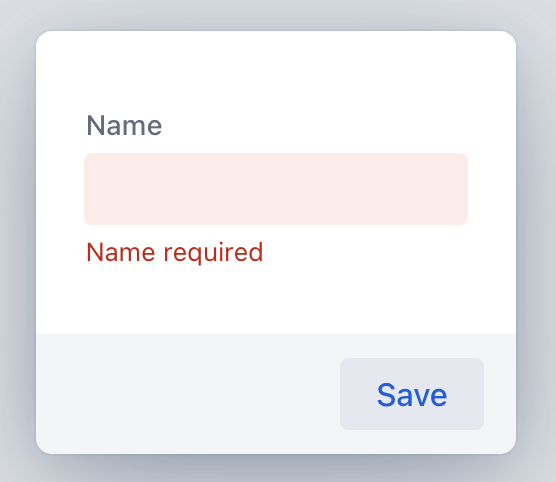
The validation runs fine, but the required field indicator does NOT show up, if the field is not annotated @NotEmpty
I even tried explicitly setting binder.setRequiredConfigurator(RequiredFieldConfigurator.DEFAULT); which, is supposed to be NOT_NULL, NOT_EMPTY and SIZE chained together
In case it matters, I am using Vaadin version 25.0.6
Expected behaviour: Required indicator should be shown for @NotNull fields.
Observed behaviour: Required indicator not show, unless field is annotated @NotEmpty
@Getter
@Setter
@NoArgsConstructor
@AllArgsConstructor
public class Test {

//    @NotEmpty(message = "Name required")
//    @NotNull(message = "Name required")
    @NotBlank(message = "Name required")
    private String name;
}
public class TestEditor extends Dialog {

    private TextField name;

    public TestEditor(Test test) {
        this.name = new TextField("Name");
        add(this.name);

        BeanValidationBinder<Test> binder = new BeanValidationBinder<>(Test.class);
        binder.setRequiredConfigurator(RequiredFieldConfigurator.DEFAULT);
        binder.bindInstanceFields(this);
        binder.setBean(test);


        var saveButton = new Button("Save", event -> {
            binder.validate();
        });

        this.getFooter().add(saveButton);
    }
}