How to add an icon in the accordion panel
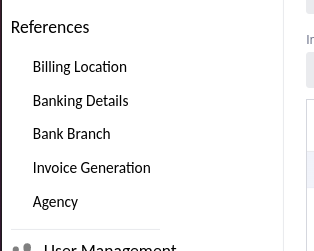
Accordion panels have a icon by default. Looks like you have removed it by styling
Looks like the default toggle icon is missing indeed. If you want to add additional custom content, like icons, inside the summary, there is an example on how this can be done with Details here https://vaadin.com/docs/latest/components/details/#summary
The same applies to AccordionPanel, for example panel.setSummary(summary);
do you have an example code to remove it. I have try still not work
You already did remove it in your screenshot  or is this another question now?
no i want to add an icon instead
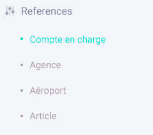
like that i want to do it
To remove the toggle-icon you have to use css and target the “part=toggle” inside the accordion panel. To add an icon, the comment from @determined-zonkey should help you
to add the icon there is no example in the link 
An icon is like any component and can simple be added by using “add()”
but in Accordionpanel it is not like that
AccordionPanel takes a component as summary and therefore you can add for example “div(icon, text)” as a single component to it
thankksssssssssssssssssss  got it