Looks this is a bug. Let me explain here
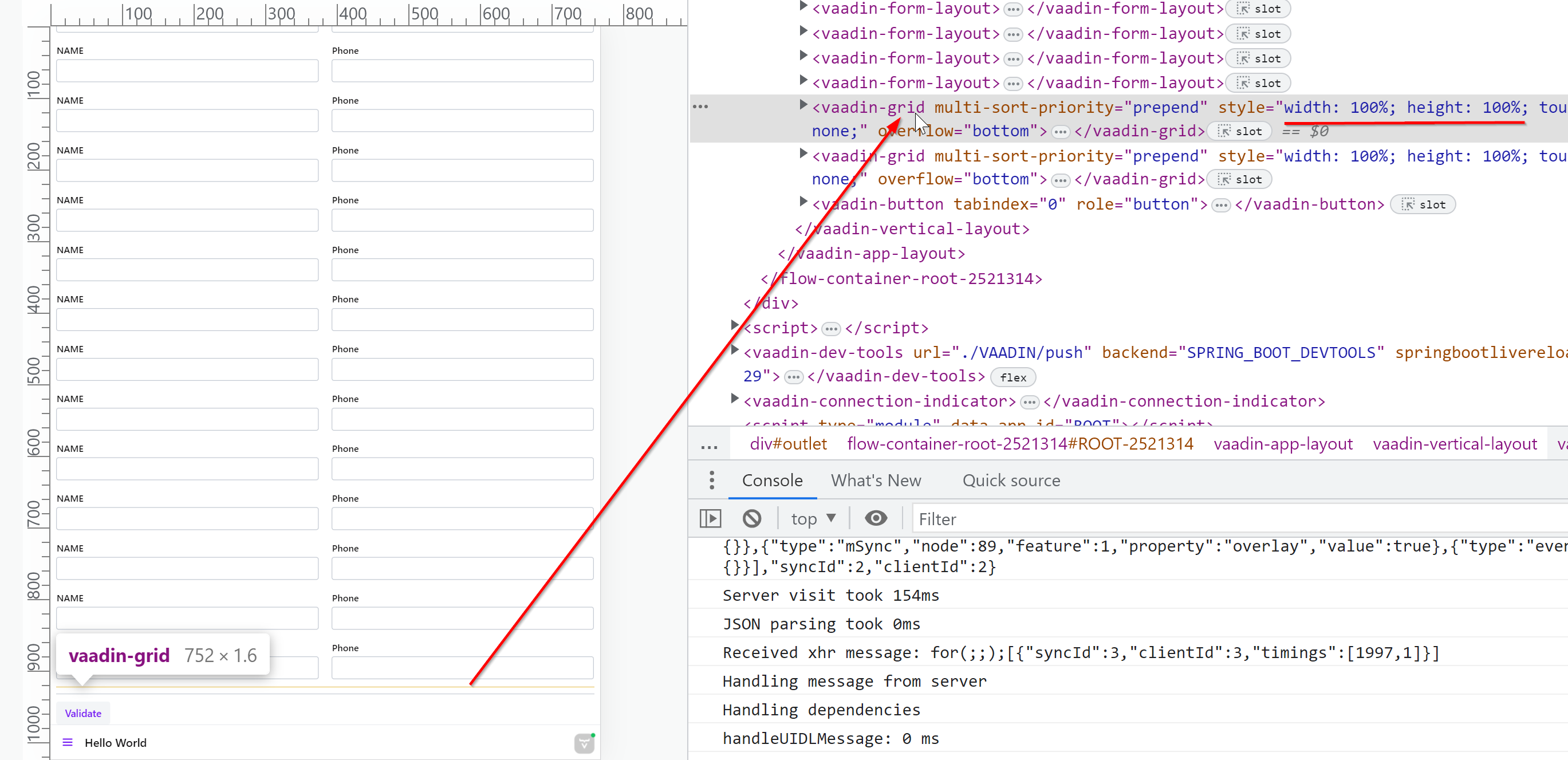
To demonstrate the issue, I’ve created a form 50 times ( so that I can see a scroller) and added two grid at the bottom and this is how it shows now
If I remove those 50 times form, this is how it looks
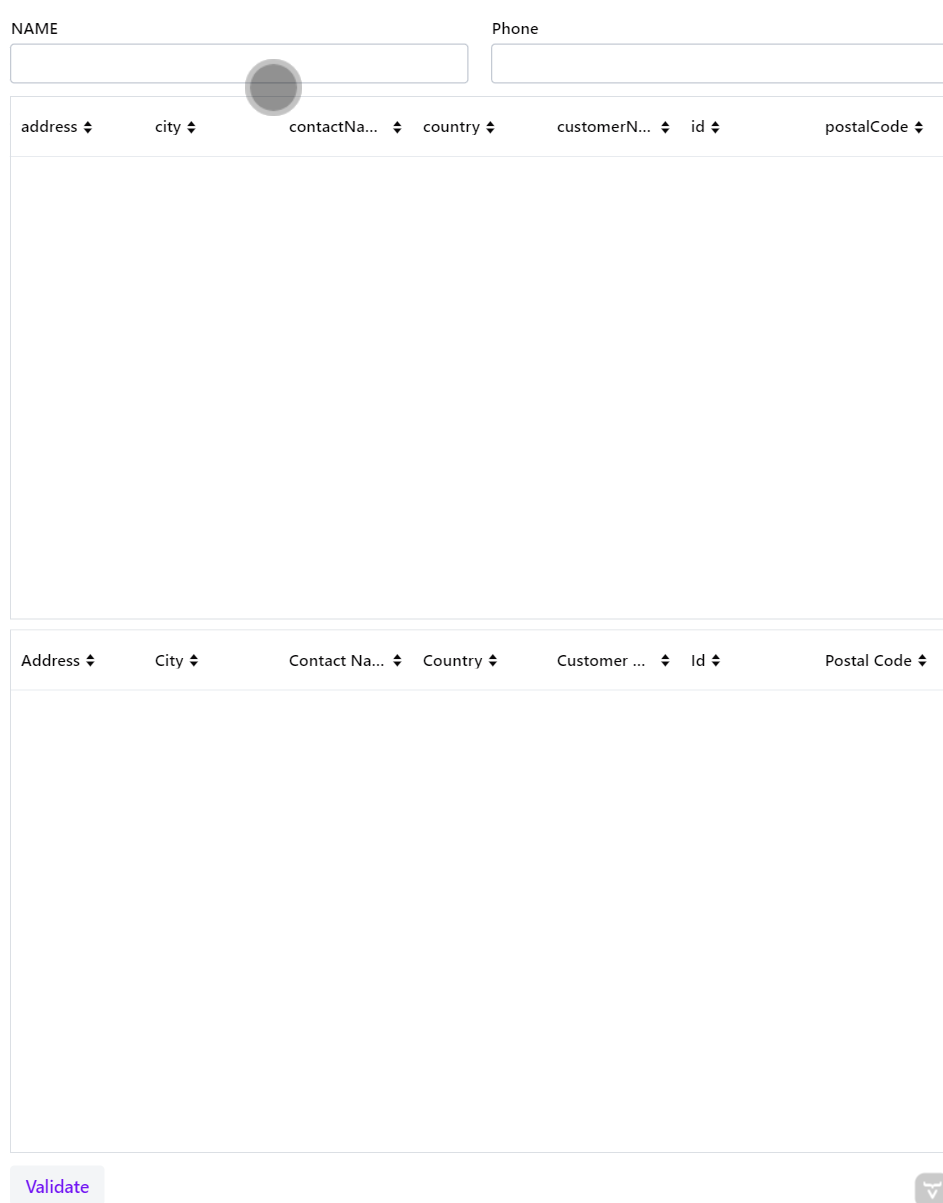
grid and its parent both are set to fullSize
I like Rolf’s quote here “when you set 100% height on the Grid, you’re setting 100% of nothing, which is nothing.”  I normally don’t use the app layout, but I would think it’s related how it works to make sure the full page height is used for the drawer. Sounds like a little bit of css fiddling in the main view to do for you.
and this affects only the grid ?
All components that work like that grid when it comes to it’s height management
I would guess that tabsheet has a similar behavior
In this example, it looks only the grid is affected. I added 50 buttons after the grid and this is how it looks
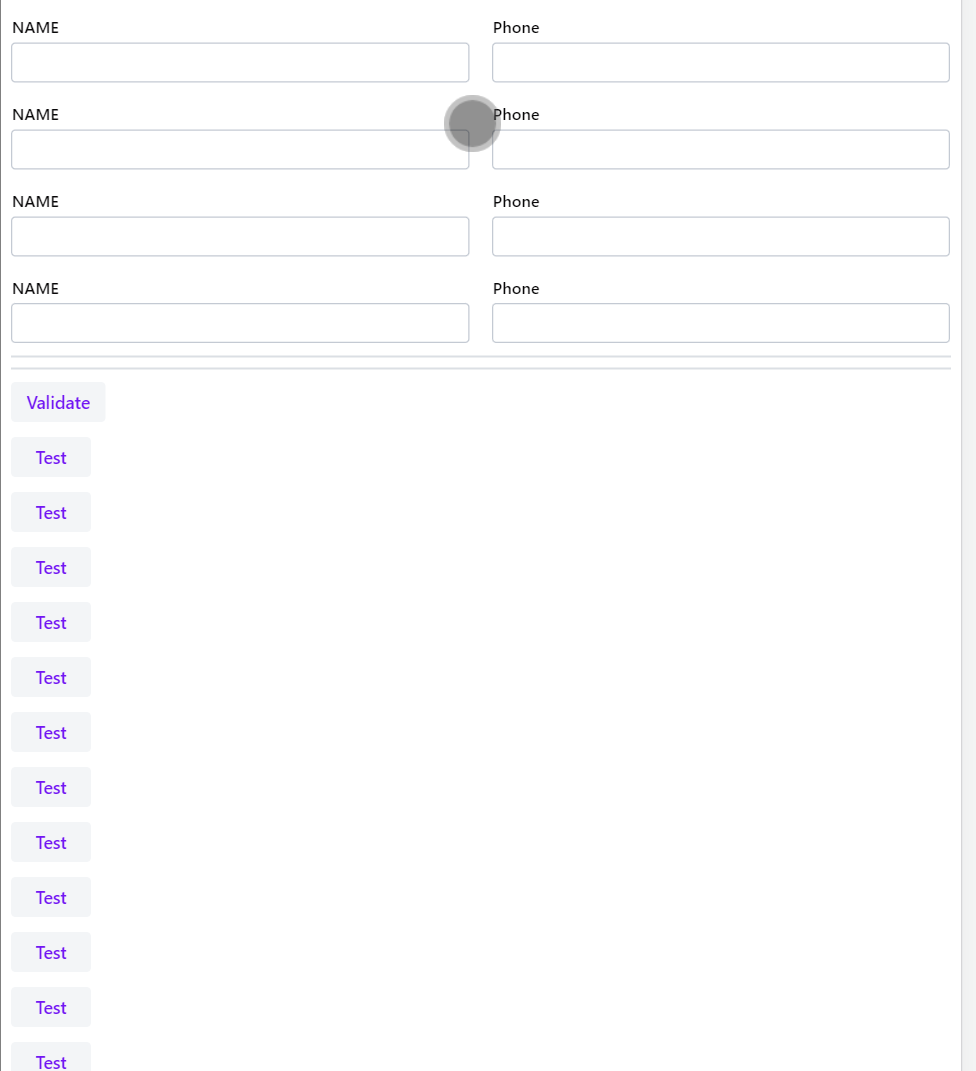
I can see all those 50 buttons without any issues
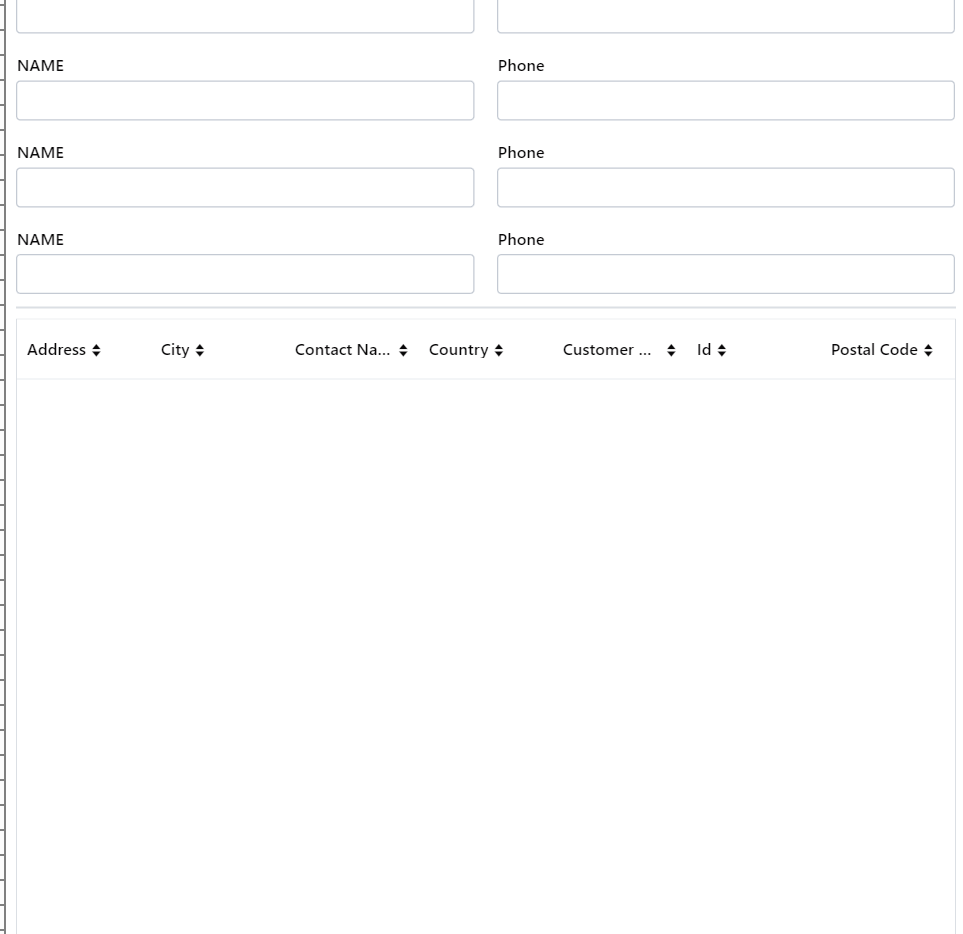
Still expected. If you add setMinHeight(“300px”) the grid should also be visible again
I see. Let me try
Yep, it worked now
how setHeight = 100% is different from setMinHeight?
See this  min-height works differently and takes precedence over height of “nothing” - I’m not experienced enough with CSS to explain the Problem in Detail, I just know it and how to avoid it
Thanks. Will wait for Rolf then. I can create an issue if he thinks right
ok so tell me if I’m wrong, but what I think is happening here is that:
-
you’re placing a VL with height=100% inside the AppLayout
=> so the VL stretches and shrinks to fit inside the AppLayout (it can’t be any taller than the AppLayout because it’s set to be 100% of its height) -
then you fill the VL with a bunch of fields that take up most of the space inside it
=> there’s now just a few pixels of vertical space left in the VL -
then you add the Grid below those fields, and set that to 100% height
=> the Grid tries to grow to the size of the VL, but as there are only a few pixels of space left, it can’t, so it only fills those few pixels of space that are available
exactly this is what is happening
my understanding was, VL can autoscroll when it finds some fields exceeding the screen view size and this is what is happening when I add buttons. I added 50 buttons and 50 forms and I see the VL automatically created a scroller page and able to see all
but the same is not happening for a grid