Hi, Is it posible to refresh the footer when I add/remove an element from my the Grid ?
I’m tryin with
grid.getDataProvider().addDataProviderListener(e → Notification.show(“Actualizando footer”));
but It doesn’t work.
Thanks.
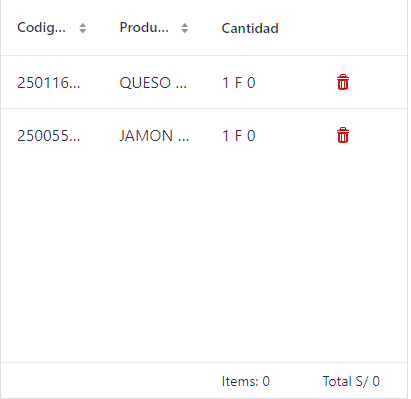
Hi, Is it posible to refresh the footer when I add/remove an element from my the Grid ?
I’m tryin with
grid.getDataProvider().addDataProviderListener(e → Notification.show(“Actualizando footer”));
but It doesn’t work.
Thanks.
That’s the right way to do but how do you remove/add the item?
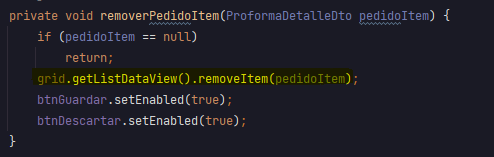
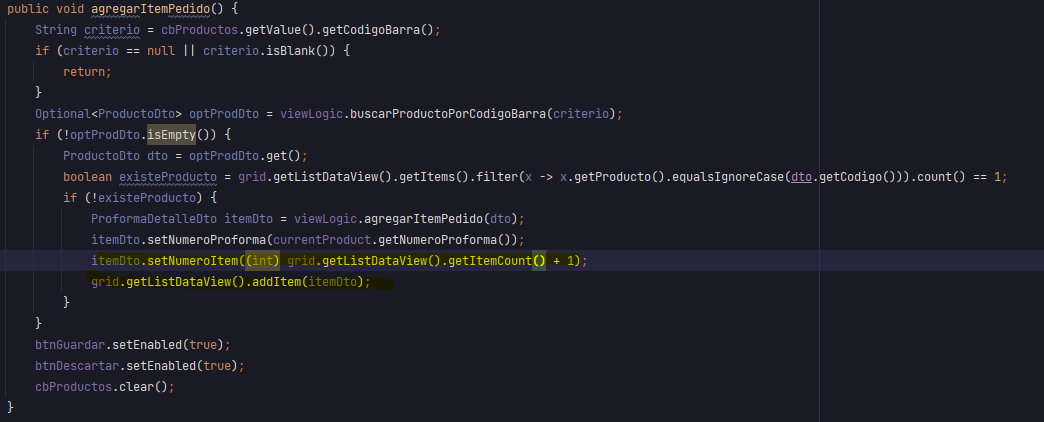
Hi @faithful-emu this is mi implementation.
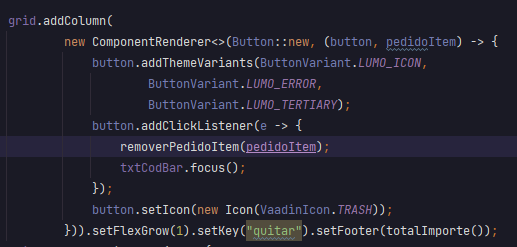
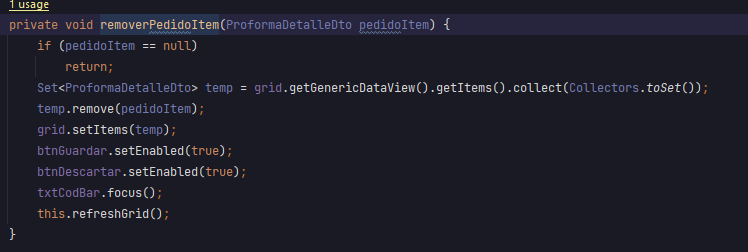
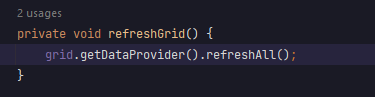
In your case, setItems will recreate a dataprovider ( then the listener does not exist in the new ). You can use removeItem from the data view: Binding Items to Components | Data Binding | Vaadin Docs
how did you add a footer?
Thanks @faithful-emu
Hi @yare-tiger you can create a footer using: grid.addColumn(ProformaDetalleDto::getCodigoBarra).setHeader(“Codigo Barra”).setFooter(“Text Footer”);
Now It’s working with the helper methods in the ListDataView.
thank you @quintessential-crane , i guess its not possible with vaadin14?
No listdataview has been added in Vaadin 17.
But you can update the list in the dataprovider and call refresh all instead. But don’t recreate the dataprovider.
wait so there exists footer for vaadin14?
niiiiiiice!
can i put a button into the footer?
yes i probably can, gonna tryy it out
hello, i cant figure out how to remove the footer?
`[…]
grid.getColumns().get(0).setFooter(download);
grid.getColumns().get(1).setFooter(new Checkbox(“Export with Children”));
    } else {
        grid.setSelectionMode(Grid.SelectionMode.SINGLE);
        grid.getColumns().get(0).setFooter("");
        grid.getColumns().get(1).setFooter("");`
You can hide the footer row: Feature: Removing HeaderRow from the Grid · Issue #1538 · vaadin/flow-components · GitHub
But I don’t think you can delete them