I would like to use a TextField within a ConfirmDialog like this:
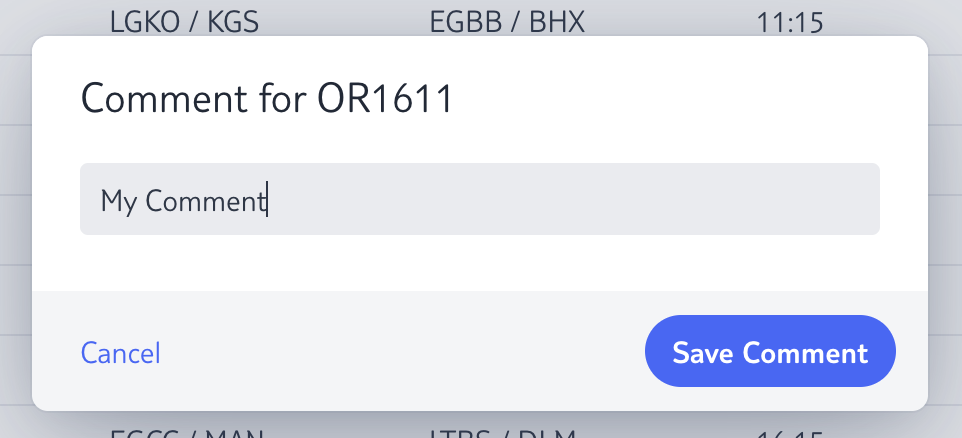
But I have two problems with it:
- How can i
focus()theTextFieldafter opening the dialog?
TextField commentField =
        new VTextField()
                .withFullWidth()
                .withValue(ddb.getComment());

ConfirmDialog confirmDialog = new ConfirmDialog("Comment for " + ddb.getFlightNumber(), null, "Save Comment", confirmEvent ->
        this.saveComment(ddb, commentField.getValue(), text, "Comment saved")
);
confirmDialog.setText(commentField);
confirmDialog.setCancelable(true);
confirmDialog.open();

commentField.focus(); // This does not work
The last call commentField.focus() does not work. The cursor is not within the TextField and a mouse click is needed.
- How can I “Save Comment” on klicking ENTER Key? (
 Solved - see below)
Update:
This workaround does it, but is there a more convenient method of doing it?
// Focus TextField
confirmDialog.getElement()
        .addEventListener("opened-changed", domEvent -> {
            boolean opened = domEvent.getEventData().getBoolean("event.detail.value");
            if (opened) {
                commentField.focus();
            }
        })
        .addEventData("event.detail.value");
Thank you!