Hi everybody I’m following the tutorial for vaadin and using vaadin 23 (because it was latest one). Can anyone tell me how to change it? I have already changed the index.html file but it doesn’t work.
Hi @adaptable-uakari . I followed the given docs
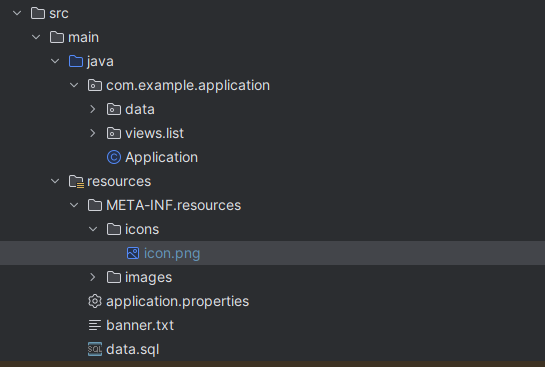
this is what my folder directory is
icon.png is the png photo i want as my favicon
however whenever I load up Application it doesn’t show anything? it just shows the default favicon when no icon is set
The resolution should be 512x512
ohh ok alright
The icon.png is exactly 512x512 but the application still doesnt load it 
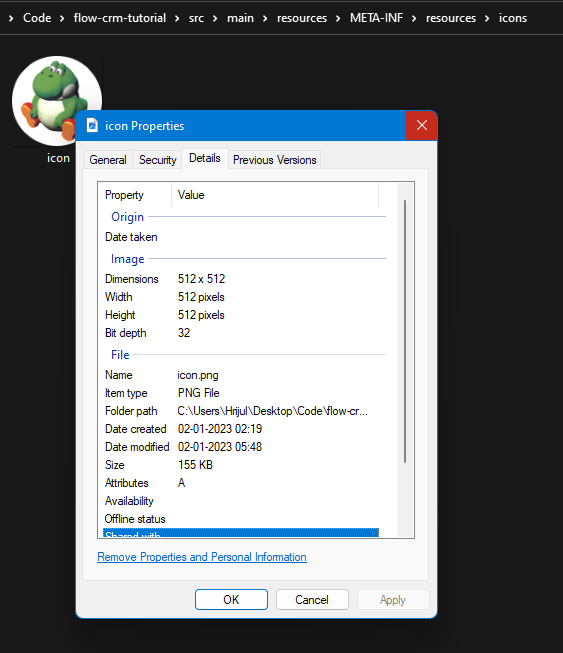
this is vaadin 23
Am I just not reading the docs right and being incredibly dumb or whaaaa
Did you try to clear the browser cache
yup
weirdly enough
even when I was using the default icon.png that came with the starter download for the tutorial
It still wasnt loading in the icon as well
I am running this on my own local server so idk if that makes a difference
So did you do a production build?
And you have added the @PWA annotation?