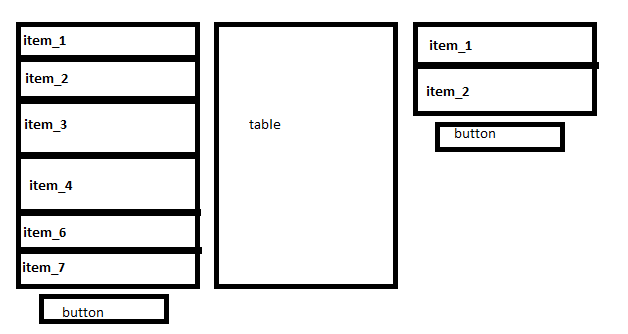
I am trying to build al Layout with 3 Tables. Under the first and under the last table there should be an button.
At beginning the tables are empty. wenn i add a ne item to the table, the table should grow an “push” the button a little bit more to the bottom of my form.
you understand?
i put a draft to the attachement…
Can i solve the problem with the layout components?
My first idea:
A horizontal Layout with three vertical layouts in it. one vertical for each table…
Don’t know what “items” you want to push into the two outer tables, but I would just use a plain Vaadin-Table and set it’s pageSize according to the number of inserted rows. Thus making it grow as needed.
HorizontalLayout horLayout = new HorizontalLayout();
VerticalLayout verLayout = new VerticalLayout();

tbl_src = new Table();
verLayout.addComponent(tbl_src);

Button btn = new Button("add");
verLayout.addComponent(btn);

verLayout.setComponentAlignment(btn, Alignment.TOP_CENTER);
...
table.setPageLength(table.getContainerDataSource().size());
so i´ve got a button under the table. and when i add an item to the table so the table get bigger. and the button is always under the table.
thats how i need it…