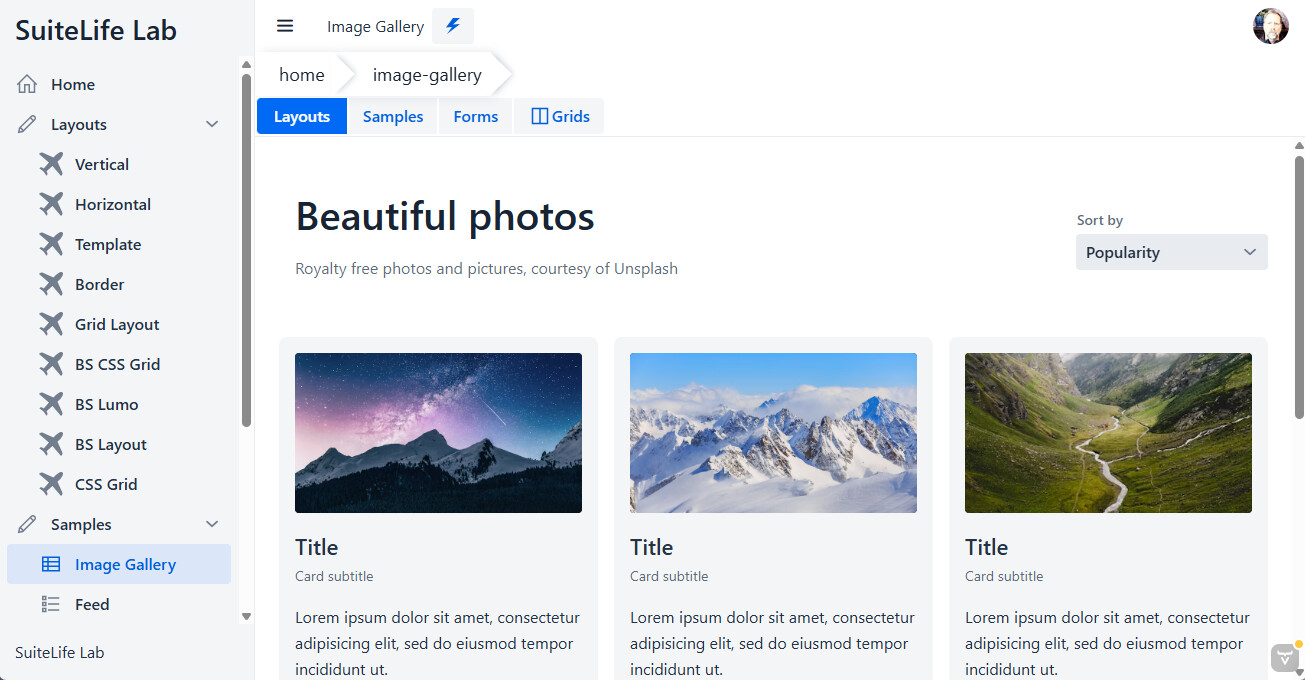
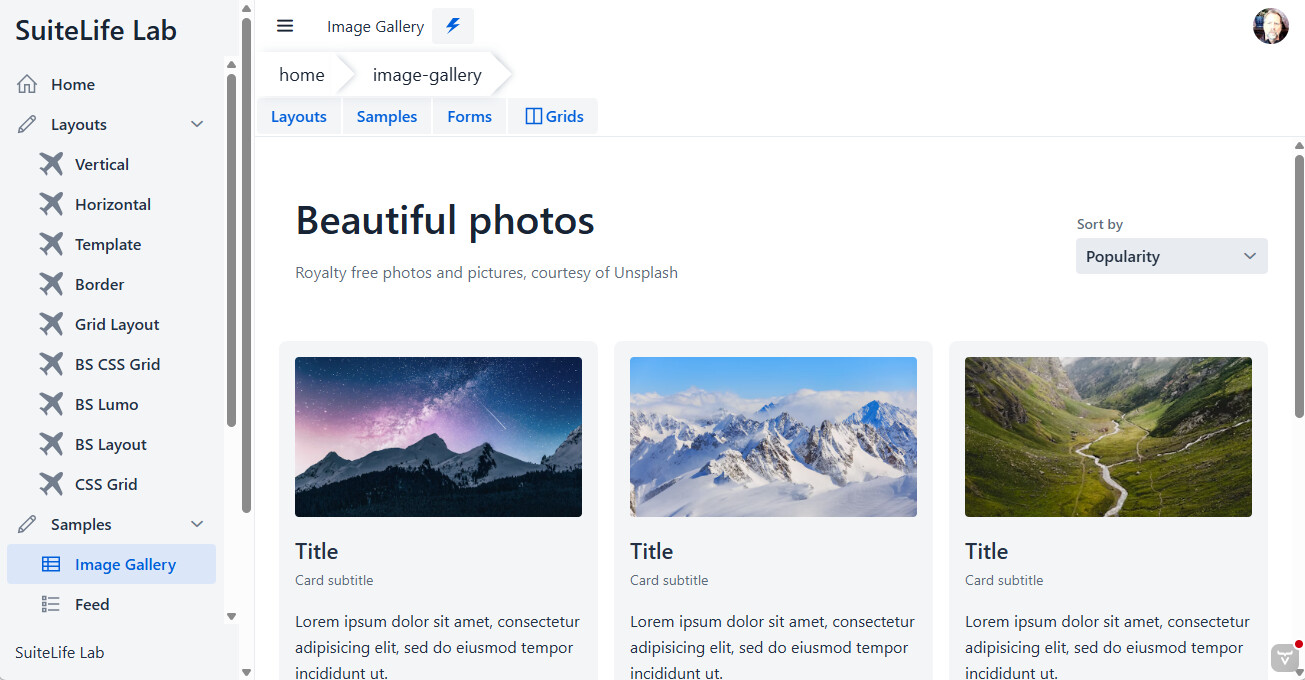
Since upgrading from Vaadin 24.8.8 to 24.9.0, I get a two scroll bars in the drawer section of an application if not all side items are visible. Any ideas?
Here is a screenshot of the Vaadin 24.8.8 app. It has only ONE scrollbar in drawer section.
Hi, is this issue being addressed? Since we updated to 24.9.0, we also are experiencing the exact same issue. We even went ahead and updated to 24.9.2 and there is no improvement.
I also encountered similar issues when I upgraded.
But then, I was also explicitly using a Scroller. addToDrawer(createHeader(), new Scroller(createSideNav()));
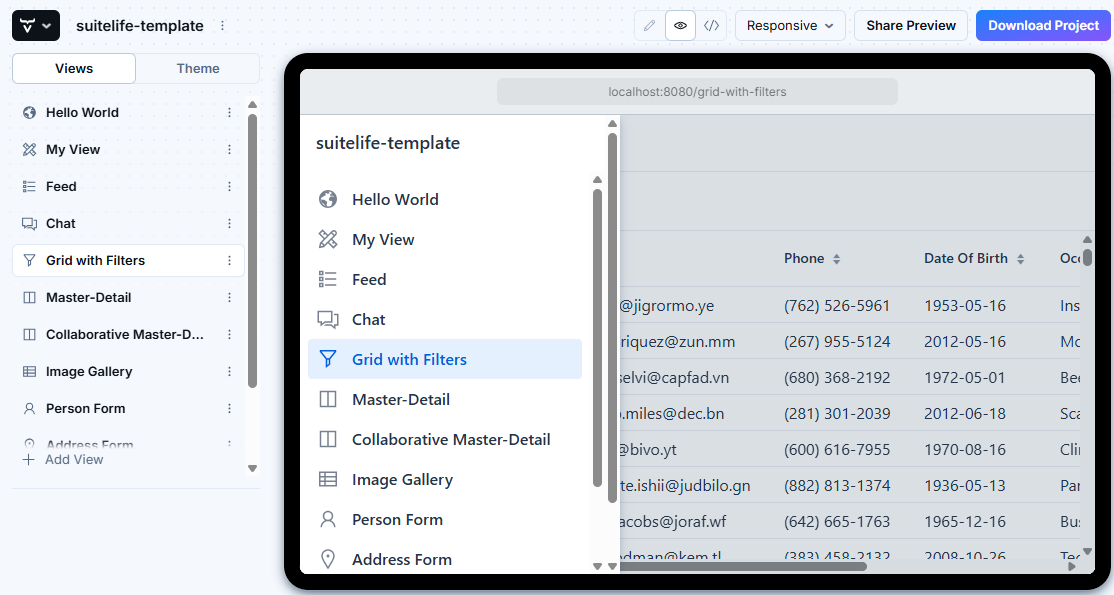
Create a bunch of views and then resize your screen and show the navigation. It should looks something like the screen capture below. Notice the double scroll bar.
I’m not sure what has changed, and why the overflowing contents of the scroller seem to escape the scroller container and produce another scrollbar in the drawer. The size of the scroller component seems correct, yet if its contents overflow it, it ends up creating the other scrollbar.
One fix I can manage to come up with is to set contain: paint; on the <vaadin-scroller> element.
I can’t tell if what I’m about to describe is exactly the same issue as reported here, but all of a sudden, having happened to recently update Chrome and Edge everywhere, I’ve started seeing this type of bug on many – though not all – machines across Windows, Mac, and Ubuntu. In my Vaadin app’s case, it happens with the LoginOverlay component when either its “Username” or “Password” fields receive input focus. Indeed, you can easily see it happening right now on Vaadin’s own documented LoginOverlay samples. Here is one such example:
Specifically, when you load that page initially, there’s no vertical scrollbar on the page (assuming you have your window maximized). But once you click inside the “Username” text field, a full-height scrollbar will inexplicably appear on the page automatically.
It happens now in Chrome, Edge, and Safari, but not in Firefox. I know it didn’t used to happen at all until recently.
Could it be related to recent changes to overscroll-behavior or scroll-state in Chrome 144 or even 143 before it?
Thanks, @jason.unsworth, for raising up this issue once more. I’m not sure if the Login Overlay issue you experience is the same (I couldn’t reproduce it on the docs demo you shared), but the original issue about App Layout drawer and Side Nav is a regression from this change:
The .sr-only element inside <vaadin-side-nav-item> is using position: absolute, but none of the parent elements of the side-nav-item contain that position, and it ends up staying stuck in place and not scrolling together with it’s parent, causing all parent scroll containers to “notice” it. There seems to be a difference between Chrome/Safari and Firefox regarding that behavior.
My issue with the ever-present scrollbar on Vaadin’s login form, as described above, did indeed turn out to be a separate problem that I’ve confirmed was caused by a recent update to the 1Password browser extension for Chromium-based browsers and Safari. The 1Password Support team has since indicated that they have it on their radar to fix now.