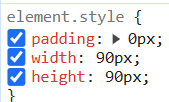
we have a strange behaviour since we develop a second project. (Local only! After deployment everything is fine)
We have copied the first project because the second one will be dedicated but kind of almost the same. We reuse CSS Classes etc.
But it looks like the browser has a problem. Some times the CSS gets not applied, Elements are not styled etc. Then i need to prepear build mv clean and remove browsercache in order see the correct result.
Does anyhone has some information how the css gets loaded etc? I think it is because we uses the same css class names but they are in different pathes in each project.
On antoher browser the css gets removed on every page refresh.
Its very anoying, maybe some one has some idea how to fix that css applied issue. Is that a IntelliJ, Plugin or Browser issue? I dont know into which direction i need to have a look.
thanks for your response which reminds me to your email
Vaadin Version is 25.0.6 but it was the same on earlier versions
Stylesheet is loaded by
@StyleSheet(Lumo.STYLESHEET)
@StyleSheet("styles.css")
public class SecurityBootstrapConfig implements VaadinServiceInitListener, AppShellConfigurator {
and the style.css is placed at src/main/resources/META-INF/resources/styles.css
and in the styles.css i refer to other style sheets using
Problem is in dev mode yes, once i have build p production its working
Running with Hotswap or not makes no difference, it appears in both situations. I cant reproduce it very well. On my maschine its somethimes, sometimes not. But on my colleagues maschine its every time. We have the identical setup so i guess its something upon the build.
Do you have any idea what we could check to find a difference? Special Settings or so?
Right, so if it would only be a problem on V25, I would assume you’re dealing with the same issue as in this thread: Problem with multiple stylesheets
You could check you browser console for those errors, and, if you have them, you need to configure your spring security settings (assuming it’s a spring app).
But that should prevent those additional stylesheets from getting loaded at all, which doesn’t sound like the behavior you’re experiencing.
@marcoc_753 do we have some css hotswapping issue in V25 (other than the one affecting Tailwind)?
Was this also a problem on V24? In that case we’re dealing with something else.
As @rofa said, if you have Spring Security, you need to add rules for imported CSS.
I guess in production it works because the build process looks for CSS files in src/main/resources that are referenced in the application by @Stylesheet annotations, and it performs an inline of imported stylesheets if they can be resolved as local files.
What also does not work anymore (since v 25?) is if i change a css file, the change gets not applied directly. i have changed a display:block to flex but in browser i still see block. Even after restart, Browser Cache etc.
Something must be broken in the project. The other project works fine, only the copied one makes problems
Edit: now my block is replaces with flex. I dont know if its a hard caching by Chrome/Edge. I have done nothing, but now the correct block is visible. I dont get it where it comes from, really anoying. Where does vaadin cache?
Yeah no it looks great again. I can change css and it reloads again.
But now its getting strange :D
I have a Div which is red (from a previuos test)
But there is no red background applied. I can restart, Ctrl. F5 the div stays red.
There must be any cache anywhere. In the logs i see Authorizing GET /.well-known/appspecific/com.chrome.devtools.json aceess denied. Could it be that devtools needs access to some files, which are blocked by Spring Security?
This must be tomcat cache or what ever. Its now red in all browsers i have.
Now after the 1000. restart its not red anymore. I dont get it and will have an eye on it.
Wasn’t the problem in dev mode only?
If I get it correctly, you did not have issues in production mode.
It starts to be confusing
I doubt that /.well-known/appspecific/com.chrome.devtools.json being blocked should impact it, but you can try to add a permitRule and see if something changes.
Anyway, it’s hard to say what’s happening without a reproducible example.
In Vaadin 25, you do not need a production profile.
You should have vaadin-dev with optional flag, so you can run in dev mode starting the application from the IDE or with mvn spring-boot:run.
Then you have the vaadin-maven-plugin configured to execute build-frontend only and when you package the app, a production build is produced.