IDEA 2026.1 Ultimate + Vaadin 25.1.1 + Vaadin plugin 1.6.0. copilot shows me logged in but none of the three modes work. After the window pops up asking to select a component, no matter where I click, nothing happens. In browser console I see “[MobX] Since strict-mode is enabled, changing (observed) observable values without using an action is not allowed. Tried to modify: [Il@7._panelStackingOrder]”. Neither chrome nor ff 149 work. Would appreciate help diagnosing what’s going on.
Hi Lucia!
Thanks for your feedback! Could you share some highlevel details about the project? Is it a fresh start.vaadin.com project or an active project? Using any third party or external dependencies for the UI classes?
Rgds,
Miguel
It’s a personal project and I’m using just plain vaadin.
Any feedback on that error message? There should be enough information in what I shared yesterday. The browsers I’ve tried (ff and chrome) are plain standard installs too.
What does the outline button show you?
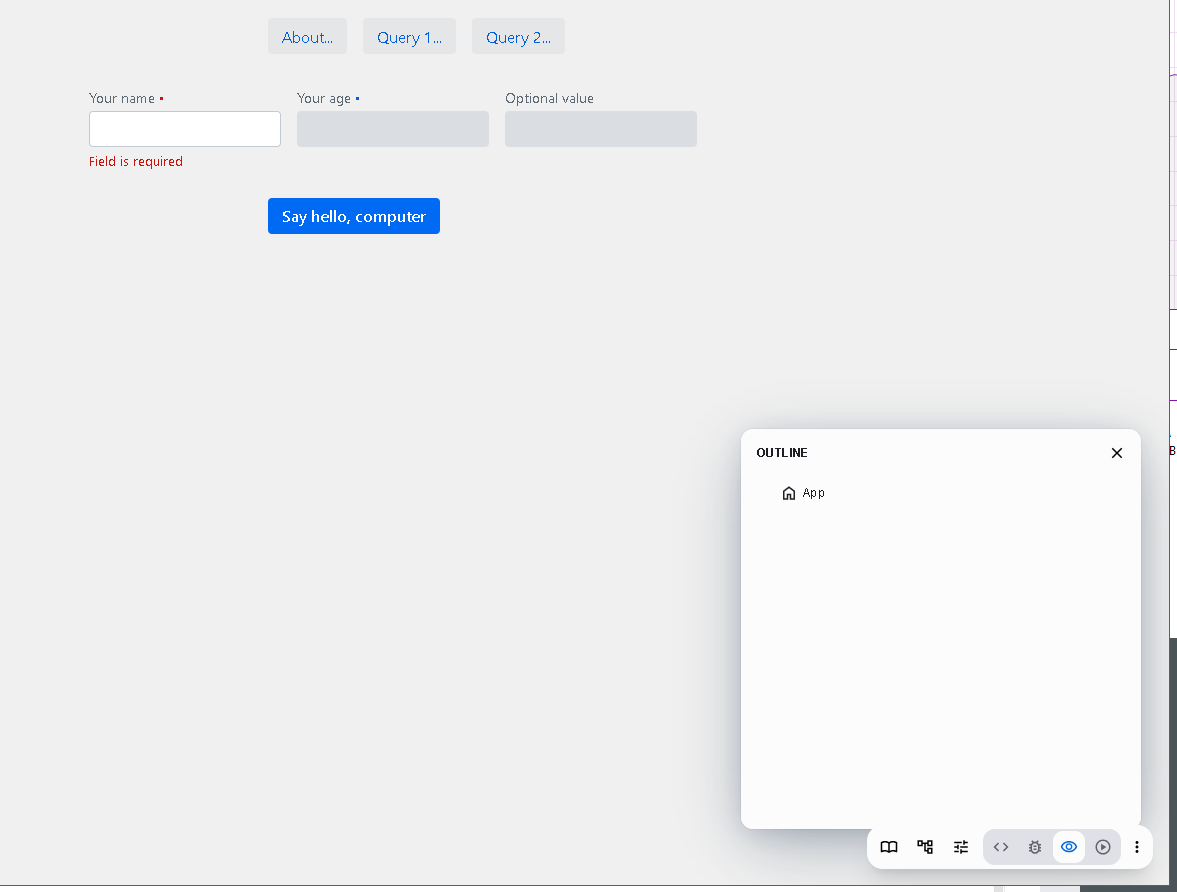
Any news on that last screenshot you asked about?
Hi Lucia,
Screenshot confirms that the tree is not correctly loaded, the log message you shared is a warning that should not prevent Copilot from working, anyways if you could share the stack trace of that message please so we can investigate it.
Also could you please check if there is any message in server side?
Finally, I’m not able to reproduce the issue, If the project is not public and you can’t share it, Could you provide a minimal example project having the issue?
I’m wondering if you also have the issue with a fresh start.vaadin.com new project.
Thanks!
Miguel
I just ran a project from starters/templates with settings: Flow / Kotlin, Maven, and Spring Boot
Copilot shows a bit more but after almost any change there’s a notification at upper right of the browser window saying there was an error. You can see one in edit mode-20260421.png
Inspect mode loads the application better but clicking on anything produces an exception, inspect mode-20260421.png.
By server side you mean the idea console? I cannot attach the console log as a file. Is there any way to send it? I put it in a pastebin: https://pastebin.com/Z7bY1qaa
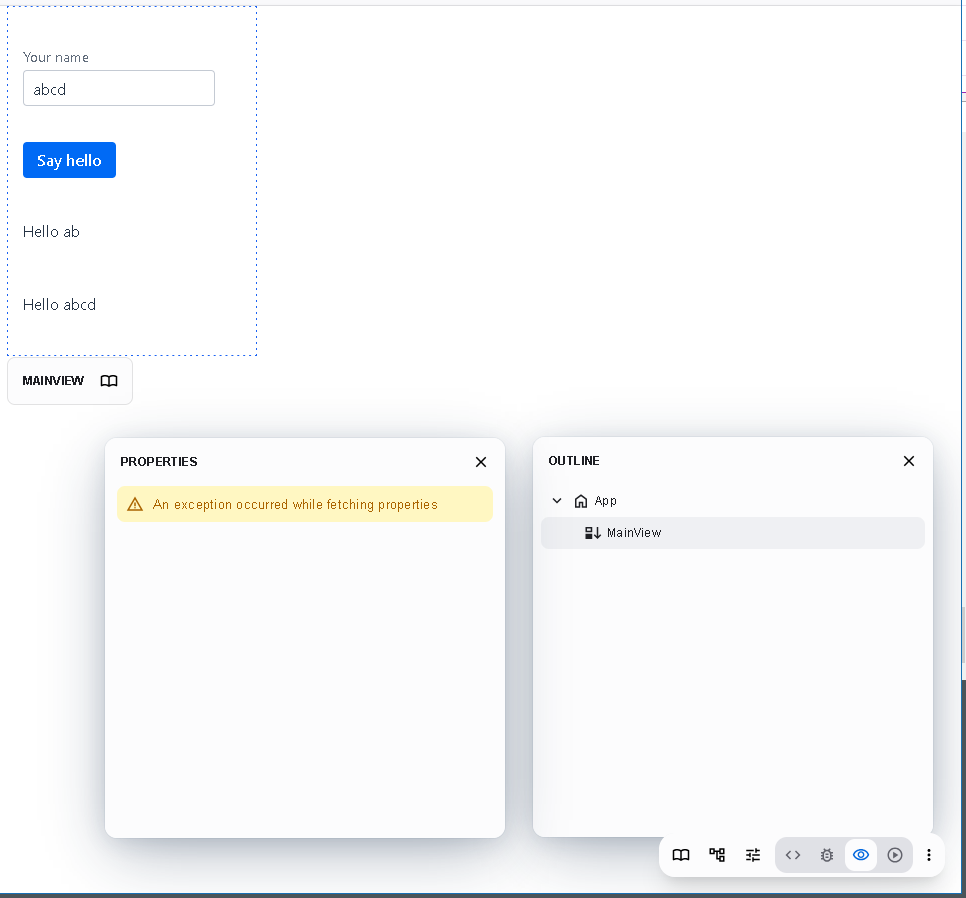
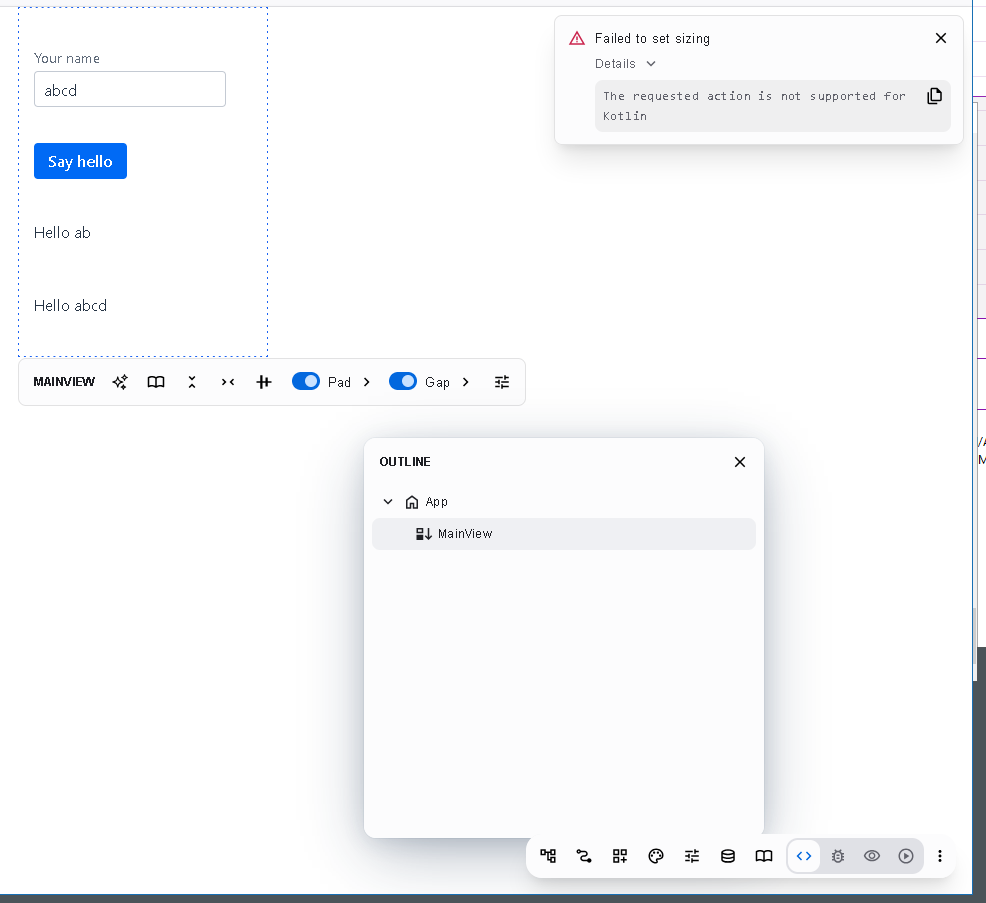
Ok, I’m really sorry, unfortunately Kotlin is barely supported by Copilot. Although outline sometimes looks correct, writing operations or properties editor are not supported.
We have the feature in the list but not yet prioritized to the roadmap.
Sorry for the inconveniences. Please vote for the issue with a  so we can keep track of the interest on the feature.
Rgds,
Miguel
That’s extremely disappointing. The issue you link is two years old, so it doesn’t look like it’s any priority to you. Coming from a real IDE with a graphical designer, it’s torture to fiddle with CSS blind and then compile everything again and again; what could be done in a graphic designer in 5 minutes takes hours of trial and error until this CSS technology of hell is mastered. CSS runs in the browser, it doesn’t throw any errors for anything it doesn’t understand, there isn’t any analysis for CSS errors, just things missing, it doesn’t remind of a professional dev environment to be shooting blind like that until the CSS clicks.
Any chance to still use the Vaadin Designer plugin for IDEA? I’m on IntelliJ IDEA 2026.1.
You’re right, so far Kotlin has not been a priority.
We’d very much like to support it, but a fundamental feature of Copilot is that it edits your code directly (in intermediate template or proprietary format). This has both benefits and drawbacks, and one of the drawbacks is that it’s very time consuming to support many languages/syntaxes.
Having said that, we just a week or two ago discussed that we should estimate how much effort it would be to take Kotlin support to a good state. No promises yet, though.
On a different note, I’m very curious:
What stack and tools have you used before that you mention? What did you especially like (and was there something you missed)?
And which are the main tasks you’d like Vaadin Copliot to help you with now – CSS, obviously, but is that more layout, more styling, both? What other stuff?
If you can, please do try Copilot in a “plain Java” project and give feedback!
Sorry about the Kotlin support, I’ve added an issue about indicating that more clearly.
Hope you can make Vaadin work for you anyway, and looking forward to more feedback, we’re all ears!
Best,
Marc
It’s interesting that it’s acting up specifically with the Flow + Kotlin setup. Sometimes Copilot struggles with the hot-reload sync when Kotlin is compiling in the background. Since you’ve already shared the Pastebin, hopefully the team can spot if it’s a specific serialization error or a websocket timeout. In the meantime, I’ve found that doing a clean/compile and restarting the Spring Boot app sometimes helps reset that connection glitch.
Let’s hope you can make Kotlin a priority, regarding the graphic/layout designer (copilot). I have never designed anything web so I had a month of relatively intense learning but there’s plenty of online places to fool around with modern CSS, and I can always ask a LLM “make this and that etc” and it’s kind of possible to take it from there but it’s working by proxy. A proper designer would make vaadin attractive. It would be an asset for you to have designed copilot to target some intermediate language, thus making it easy to port away from Java. I don’t come from Java and there’s no way I am going there; kotlin is a reasonable language and the JVM ecosystem is attractive but that’s as far as I’ll go language-wise.
My background is desktop development and I have stayed with CodeGear since they were called Borland. The model is different from web but the graphic designer was so trouble free that it was essentially a commodity. Just so you see where I come from.
What I’d like to see in copilot is probably already there: layouting, easy changes without auto-destroying itself, powerful undo/redo emacs-like, seeing all the properties in one place, logically ordered to not have to peck around, instant changes, which obvously you do I assume. I’d like to see ready templates that were not entirely lame as I struggle with the “art” design. Other than that, I can’t test copilot with a java program because if I cannot take that design and copy/paste it or parts of it into a kotlin project, there’s little point in trying it anyway.