Overview
Vaadin components consist of two parts: a server-side and a client-side component. The latter are also called widgets in Google Web Toolkit (GWT) parlance. A Vaadin application uses the API of the server-side component, which is rendered as a client-side widget in the browser. As on the server-side, the client-side widgets form a hierarchy of layout widgets and regular widgets as the leaves.
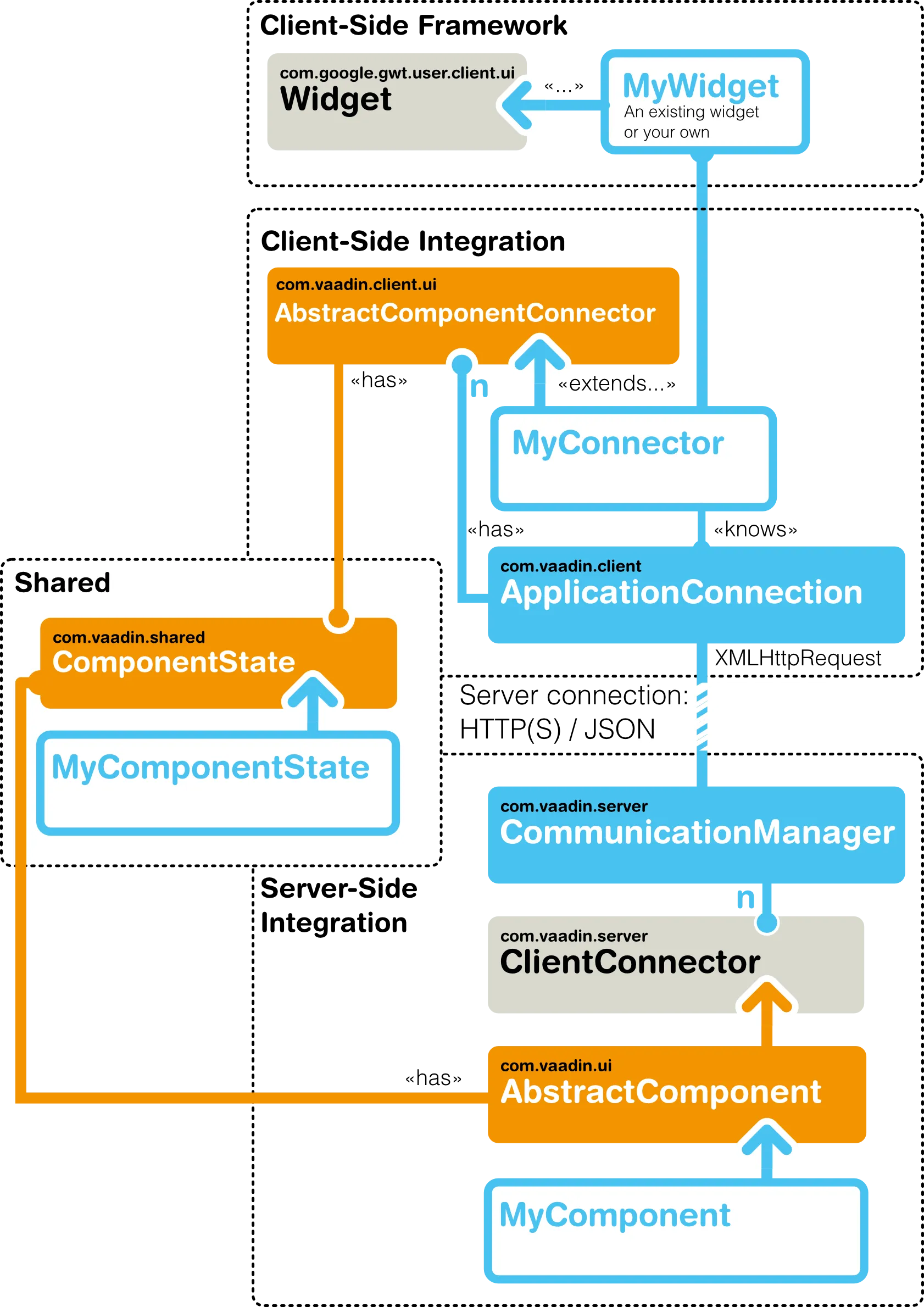
The communication between a client-side widget and a server-side component is managed with a connector that handles syncronizing the widget state and events to and from the server-side.
When rendering the user interface, a client-side connector and a widget are created for each server-side component. The mapping from a component to a connector is defined in the connector class with a @Connect annotation, and the widget is created by the connector class.
The state of a server-side component is synchronized automatically to the client-side widget using a shared state object. A shared state object extends AbstractComponentState and it is used both in the server-side and the client-side component. On the client-side, a connector always has access to its state instance, as well to the state of its parent component state and the states of its children.
The state sharing assumes that state is defined with standard Java types, such as primitive and boxed primitive types, String, arrays, and certain collections ( List, Set, and Map) of the supported types. Also the Vaadin Connector and some special internal types can be shared.
In addition to state, both server- and client-side can make remote procedure calls (RPC) to the other side. RPC is used foremost for event notifications. For example, when a client-side connector of a button receives a click, it sends the event to the server-side using RPC.
Project Structure
Widget set compilation, as described in "Client-Side Module Descriptor", requires using a special project structure, where the client-side classes are located under a client package under the package of the module descriptor. Any static resources, such as stylesheets and images, should be located under a public folder (not Java package). The source for the server-side component may be located anywhere, except not in the client-side package.
The basic project structure is illustrated in Basic Widget Integration Project Structure.
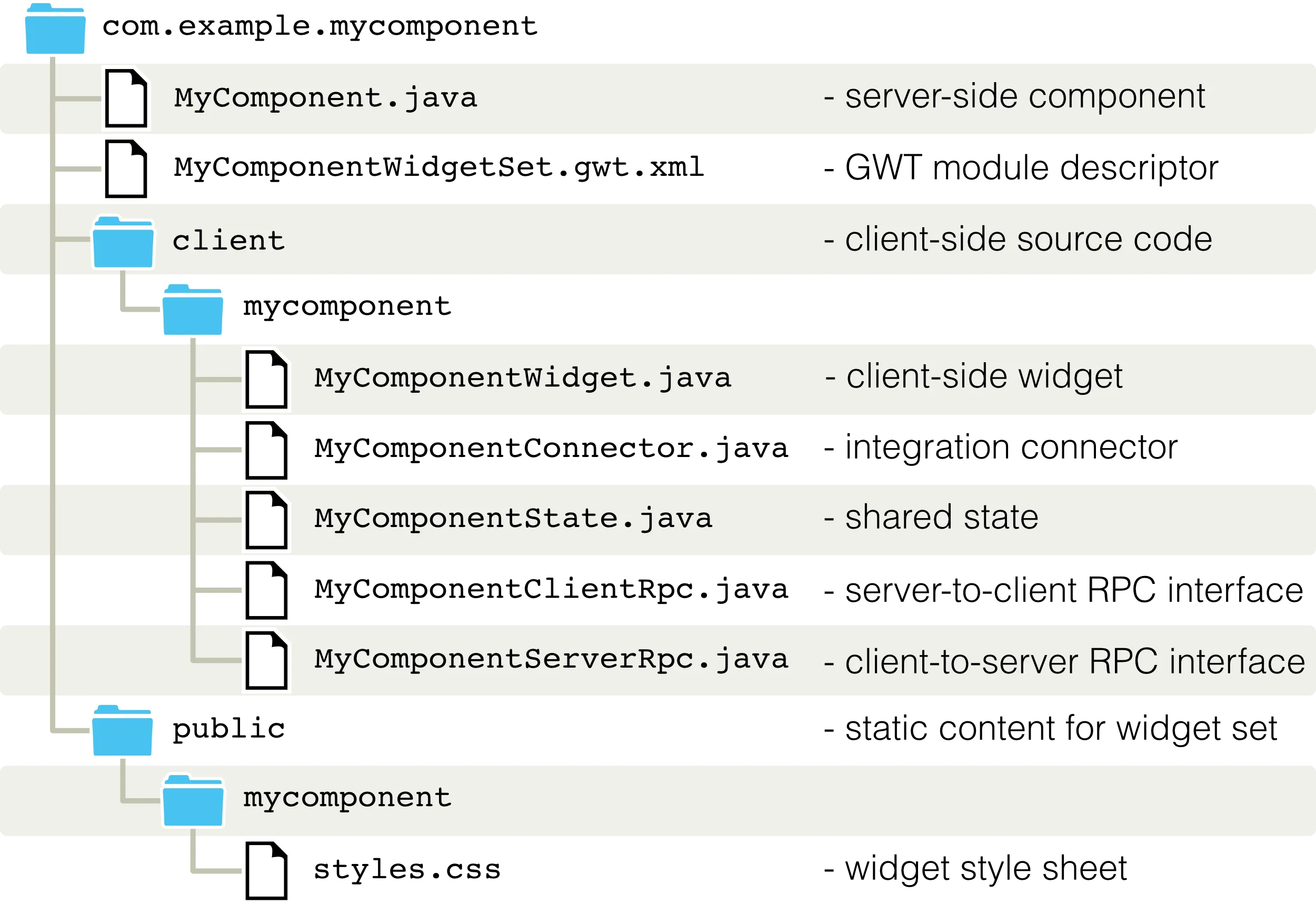
The Eclipse wizard, described in "Starting It Simple With Eclipse", creates a widget integration skeleton with the above structure.
Integrating JavaScript Components
In addition to the GWT widget integration, Vaadin offers a simplified way to integrate pure JavaScript components. The JavaScript connector code is published from the server-side. As the JavaScript integration does not involve GWT programming, no widget set compilation is needed.