Hi,
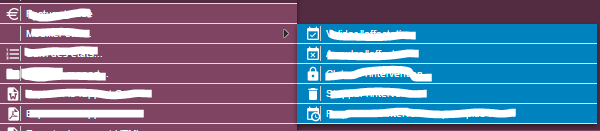
I have a problem with the context menu. I’m using Vaadin 6 and ContextMenu 3.1.
I’d like that people who use my application can change the background color.
I have defined a default color in the style file as a variable :
I implemented ContextMenu in my application and it works fine, except it does not hide at times as it should, allowing the user to produce errors, like deleted the same row twice and the app gets a null pointer error. Could you please help with an indication as to get it to hide properly ?
The idea of Henri sounds very good indeed. I conducted a requested feature in version 2.1 and is now available. I also checked to make sure it will fit on the menu screen. If it does not, it will be open from the left click. It also works with submenus.
There is an issue when we need to show the context menu conditionally.
For an example, Lets assume that there are two types of rows in a table and based on a custom logic, we decide whether context menus should be shown or not.
If logic decides not to show the context menu, currently there is no way to hide it. Even if we remove all items, still there is a small box appearing
Please have a look, below is the code
ContextMenu.ContextMenuOpenedListener openedListener = new ContextMenu.ContextMenuOpenedListener.TableListener() {

@Override
public void onContextMenuOpenFromRow(ContextMenu.ContextMenuOpenedOnTableRowEvent contextMenuOpenedOnTableRowEvent) {
contextMenu.removeAllItems();
if (<custom logic>) {
contextMenu.addItem("Field permissions").addItemClickListener(e -> {
/// Perform the action
});
}else{
/// Here context menu should not be shown
}

}

@Override
public void onContextMenuOpenFromHeader(ContextMenu.ContextMenuOpenedOnTableHeaderEvent contextMenuOpenedOnTableHeaderEvent) {

}

@Override
public void onContextMenuOpenFromFooter(ContextMenu.ContextMenuOpenedOnTableFooterEvent contextMenuOpenedOnTableFooterEvent) {

}
};

contextMenu = new ContextMenu();
contextMenu.setAsContextMenuOf(privilegeTree);
contextMenu.setOpenAutomatically(false);
contextMenu.addContextMenuTableListener((ContextMenu.ContextMenuOpenedListener.TableListener) openedListener);
Hi,
I’m not able to make Context Menu work with a Grid in Vaadin 8; I used the example found on Directory add-on;
this is an extract; what’s wrong with this?
TIA
Danilo
public class MyGrid extends Grid<MyClass> {
public MyGrid() {

   setSizeFull();

   addColumn(MyClass::getId)
      .setCaption("Id")
      .setWidth(60);

   addColumn(..);

// Context Menù
// Create a context menu for 'someComponent'
   ContextMenu contextMenu = new ContextMenu(this, true);

   MenuItem item = contextMenu.addItem("Start ", e -> {
     Notification.show("Start ");
   });

   MenuItem item2 = contextMenu.addItem("Stop", e -> {
     Notification.show("Stop");
   });
...
This component was integrated as part of the framework some time ago, but the docs are still scarce.
My problem is that the component doesn’t seem to have any collision when it doesn’t have enough space to fit in.
For instance, use it in a Grid which grows until the bottom of the screen – if you have 4 or 5 items, luckily you’ll be able to click on 1st and maybe 2nd of them…
Does anyone has a suggestion on how to overcome this?
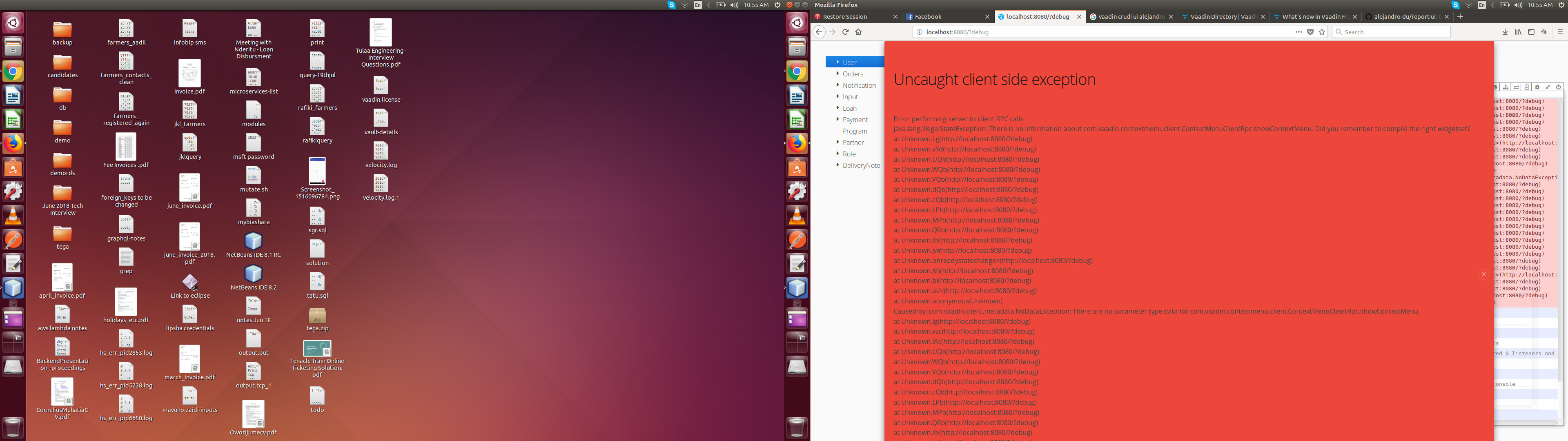
Hi I’m having a problem with the context menu. I’ve been using this component for quite a while now in my jee projects. It gives me an error everytime I right click(while on debug of course).
The widget set has been put together well, see below.
Error itself - see attachment
Code implementation.
Tab tab = super.tabSheet.addTab(c, selected);
tab.setClosable(true);// ensure it’s closeable, allow someone to work on multiple documents
         ContextMenu tabMenu = new ContextMenu(tabSheet, true);

         //TODO: context menu not working - fix it- RPC calls a bit problematic.
         tabMenu.addContextMenuOpenListener(menu -> {
             tabMenu.removeItems();
             tabMenu.addItem("Close", e -> {});
             tabMenu.addItem("Close Others", e -> {});
             tabMenu.addItem("Close All", e -> {});
             tabMenu.open(menu.getX(), menu.getY());
         });
<!--
 Uncomment the following to compile the widgetset for one browser only.

 Multiple browsers can be specified as a comma separated list. The
 supported user agents at the moment of writing were:
 ie8,ie9,gecko1_8,safari,opera

 The value gecko1_8 is used for Firefox and safari is used for webkit
 based browsers including Google Chrome.
-->
<!-- <set-property name="user.agent" value="safari"/> -->

<!--
 To enable SuperDevMode, uncomment this line.

 See https://vaadin.com/wiki/-/wiki/Main/Using%20SuperDevMode for more
 information and instructions.
-->
<!-- <set-configuration-property name="devModeRedirectEnabled" value="true" /> -->
<inherits name="com.vaadin.contextmenu.WidgetSet" />
<inherits name="org.vaadin.addons.searchbox.Widgetset" />
<inherits name="org.vaadin.addons.autocomplete.Widgetset" />
<inherits name="org.vaadin.addons.md_stepper.WidgetSet" />
<inherits name="org.vaadin.peter.contextmenu.ContextmenuWidgetset" />
<inherits name="org.vaadin.gridutil.WidgetSet" />