VideoPlayerAddon - Vaadin Add-on Directory
A Helper Library to build VideoJS Player for Vaadin framework.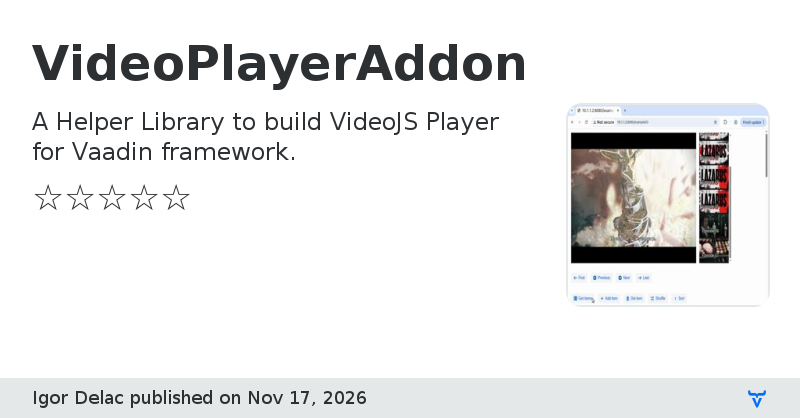
## Intro
This is a convenient wrapper for a famous [VideoJS](https://legacy.videojs.org/) player, that enables Vaadin developers to integrate video player into their project(s).
The Video Player is used to play video clips, with some basic features like:
* poster image
* autoplay
* muted
* download
* seeking
* fullscreen
* playlist
* event listener
It is also possible to extend the video player component by implementing additional methods, that invoke the JavaScript code, to interact with the VideoJS framework.
Read more at [GitHub page](https://github.com/idelac3/VideoPlayerAddon).
## Quick Start
Import dependency into your project.
E.g.
```
io.github.idelac3
video-player-addon
${video.player.version}
```
where **${video.player.version}** is usually defined in properties section.
E.g.
```
1.0.0
```
To make a video player available on the page, create new instance.
Configure a page, with new instance of the video player.
```
@Route(value = "basic")
@PageTitle ("Video Player playground")
@RouteAlias (value = "")
@Menu(order = -100, icon = "vaadin:home", title = "Basic")
public class MainPage extends Div implements BeforeEnterObserver, AfterNavigationObserver {
// ... (omitted) ...
private VideoPlayer videoPlayer;
public MainPage() {
this.videoPlayer = new VideoPlayer();
}
```
Define a video player instance as a member variable, create new instance in the constructor. That won't yet initialize the video player.
Then implement the **BeforeEnterObserver** and / or **AfterNavigationObserver** interfaces.
```
@Override
public void afterNavigation(AfterNavigationEvent afterNavigationEvent) {
//
// Set here the initialization options for the video player.
//
videoPlayer.withInitOption (InitOption.CONTROLS, true);
//
// Attach the video player to the view, e.g. web page.
// This will initialize the instance, and allow to configure the instance.
//
this.add(videoPlayer);
//
// Configure the video player instance.
//
videoPlayer.withAutoplay (true)
.withMuted (false)
.withPosterURL (txtPoster.getValue())
.withSourceURL (txtUrl.getValue());
videoPlayer.addEventListener ( (videoPlayerEvent) -> Notification.show ("Event: " + videoPlayerEvent.getType ()) );
// ... (omitted) ...
}
```
For a more complete example, consult the [README](https://github.com/idelac3/VideoPlayerAddon/blob/master/README.md) page.
## Requirements
* Java 17+
* Vaadin 24+
## Examples
See some [examples](https://github.com/idelac3/VideoPlayerAddon/tree/master/examples), how to use certain features, etc.
Examples are usually covered with Java code, and some screenshot(s).
View on GitHubVideoPlayerAddon version 1.0.0
First version of Video Player addon.