Analog Clock - Vaadin Add-on Directory
Analog Clock is a Vaadin Flow component that displays an interactive analog clock face. Users can view time visually and adjust it by dragging clock hands or using keyboard controls. It serves as a visual complement to Vaadin's standard TimePicker, offering an intuitive, graphical alternative for time input and display. Themes available for unstyled (Amiga1.2), Luma and Aura both in Light and Dark modes.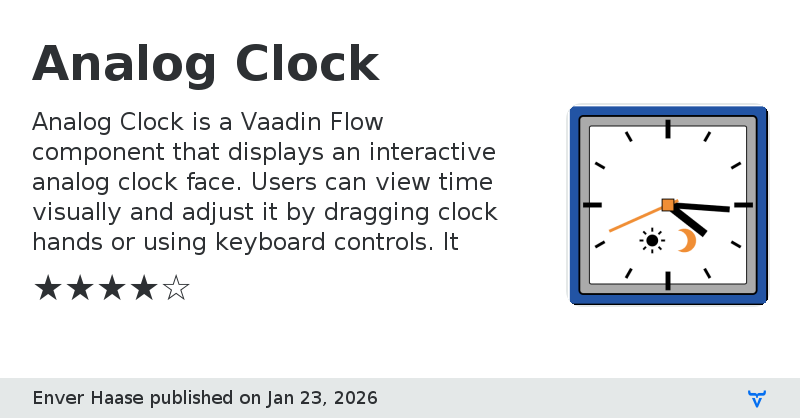
What It Is
Analog Clock is a custom Vaadin component that renders a fully functional analog clock with hour, minute,
and second hands. The default appearance pays homage to the classic Amiga Workbench 1.2 interface—featuring
a distinctive blue background with grey clock face—while also supporting modern Lumo and Aura theme
variants.
Key Features
- Two Operating Modes:
- Stopped — Displays a fixed time set programmatically via setValue(LocalTime)
- Running — Time advances in real-time, perfect for displaying the current time
- User Interaction:
- Drag clock hands to adjust time
- Use keyboard arrow keys for precise step-based adjustments
- Focus and accessibility support with ARIA labels
- Constraints & Validation:
- Set minimum and maximum allowed times
- Configure step intervals (e.g., 15-minute increments)
- Readonly and disabled states
- Theming:
- Default Amiga Workbench 1.2 retro aesthetic
- Lumo variant for modern Vaadin applications
- Aura variant for a refined, professional look
- Dark mode (combinable with Lumo or Aura)
- Full CSS custom property support for custom styling
Relationship with TimePicker
While Vaadin's built-in TimePicker provides a text-based input with dropdown selection, Analog Clock offers
a complementary visual approach:
┌──────────────────┬────────────────────────┬─────────────────────────────────────┐
│ Aspect │ TimePicker │ Analog Clock │
├──────────────────┼────────────────────────┼─────────────────────────────────────┤
│ Input method │ Text field + dropdown │ Drag hands / keyboard │
├──────────────────┼────────────────────────┼─────────────────────────────────────┤
│ Display │ Digital (text) │ Analog (visual) │
├──────────────────┼────────────────────────┼─────────────────────────────────────┤
│ Space efficiency │ Compact │ Larger footprint │
├──────────────────┼────────────────────────┼─────────────────────────────────────┤
│ Use case │ Form input, data entry │ Visual display, intuitive selection │
├──────────────────┼────────────────────────┼─────────────────────────────────────┤
│ Running time │ Not supported │ Supported (real-time animation) │
└──────────────────┴────────────────────────┴─────────────────────────────────────┘
Common Use Cases:
1. Alongside TimePicker — Use Analog Clock as a visual preview that updates as users type in a TimePicker
2. Instead of TimePicker — For applications where visual time selection is more intuitive (scheduling UIs,
time-tracking apps)
3. Display Only — Show current time or appointment times as an attractive visual element
4. Educational — Teaching time-telling with an interactive clock
View on GitHub